FTP Zone Calculator: A Guide to Smarter Training
You’ve probably been there. You finish a ride, glance at your Garmin or Wahoo, and know you should be training with power more precisely, but the jump from “I have an FTP number” to “I know exactly what to do on Tuesday’s threshold session” still feels messy.
That’s where an FTP zone calculator becomes useful. Not because it gives you another metric to obsess over, but because it turns one test result into daily training targets you can use. When your zones are right, endurance rides stop creeping too hard, threshold work lands where it should, and recovery rides finally feel like recovery.
Table of Contents
- What Is FTP and Why It Transforms Your Training
- How to Reliably Test Your Current FTP
- Calculating Your Training Zones from FTP
- Common Mistakes in FTP Testing and Zone Training
- Syncing Zones and Workouts to Your Device
- Conclusion From Numbers to Real-World Results
What Is FTP and Why It Transforms Your Training
You finish a hard ride, look down at your head unit, and see plenty of watts but no real answer. Was that effort recovery, tempo, or threshold? FTP gives those numbers context, so you can stop guessing and start training with purpose.
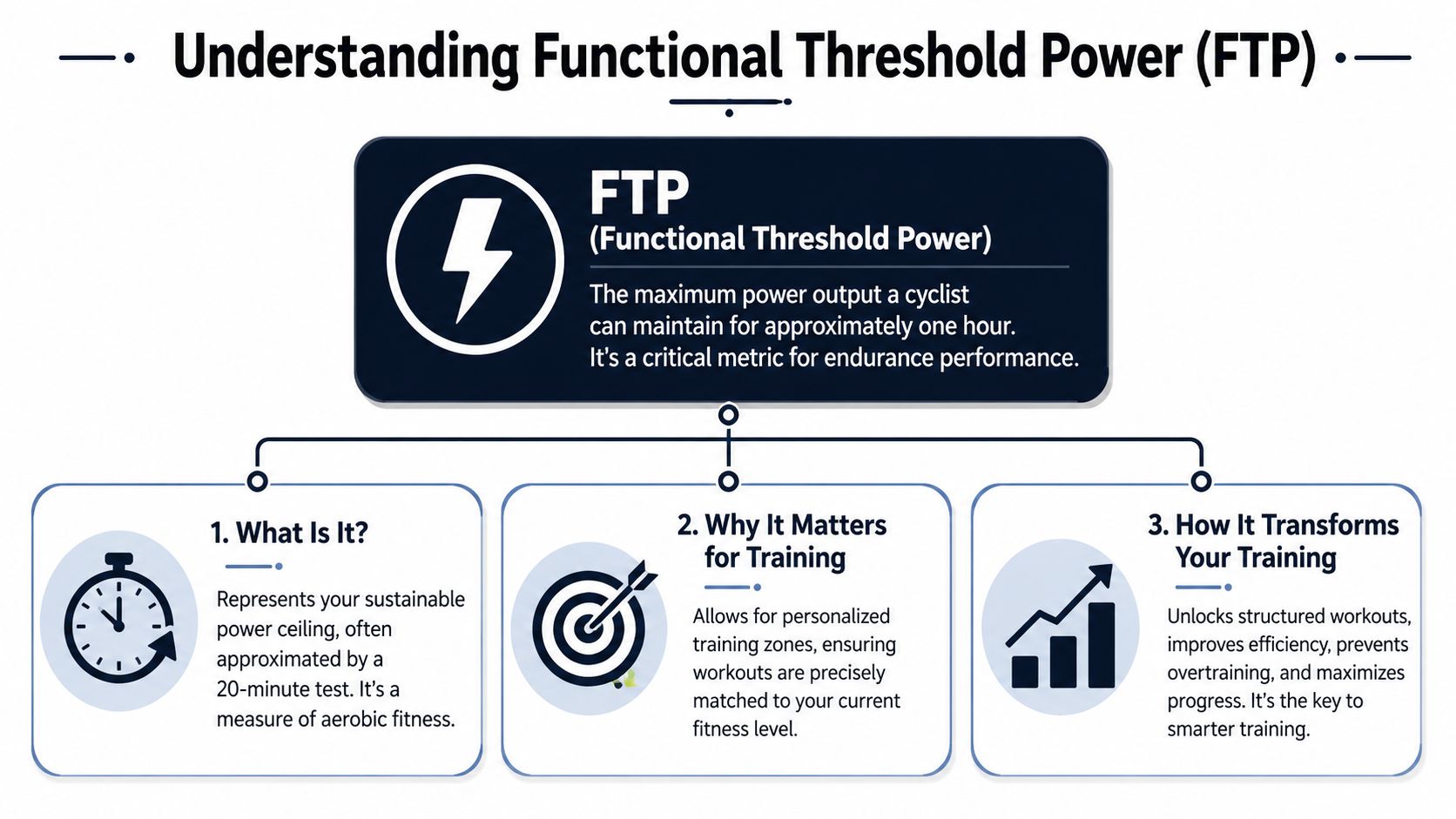
FTP, or Functional Threshold Power, is the anchor point for power-based cycling training. It is your best practical estimate of the highest power you can sustain for about an hour, and it gives every workout target a clear meaning. Once that number is set, “steady” and “hard” stop being vague coaching cues and become usable ranges you can ride to.
In common coaching practice, FTP is often estimated from a 20-minute test, then used to set training zones from very easy recovery work up to short, maximal efforts. The calculator matters because it turns one tested number into a system you can use right away.
Why one number changes everything
The same wattage does not mean the same stress for every rider. For one athlete, 200 watts is all-day endurance pace. For another, it is close to threshold. FTP fixes that problem by scaling training to the rider instead of the bike computer.
That is what makes structured training work in practical applications.
With accurate zones, each session has a job:
- Recovery rides stay controlled enough to promote recovery
- Endurance rides build aerobic fitness without drifting into junk intensity
- Threshold work lands where it should, hard but repeatable
- High-intensity intervals are hard enough to create adaptation without turning every day into a test
Many coaches see the same pattern in self-coached athletes. Without zones, riders often spend too much time in the medium-hard range because it feels productive. In practice, that usually leads to flat easy days, mediocre hard days, and slower progress than the training volume suggests.
Practical rule: A zone only matters if it changes how you ride today.
That is also where this becomes more useful than a simple calculator. Its primary value is not just getting your FTP number. It is turning that number into sessions you can execute on the road, on the trainer, and on your device without extra friction. If you want a practical example, these bike interval training workouts you can send to your device show how zone targets become usable sessions instead of nice-looking percentages on a page.
An FTP zone calculator does not make you faster by itself. It gives you accurate targets, helps you pace work correctly, and makes it much easier to load the right session onto a Garmin or Wahoo and ride it as intended. That is where athletes start getting real return from the number.
How to Reliably Test Your Current FTP
You finish a hard test, plug the number into an FTP zone calculator, load a workout onto your Garmin, and the first threshold interval feels impossible by minute six. In most cases, the calculator is not the problem. The test was.
A reliable FTP starts with a repeatable process. If the test is rushed, poorly paced, or done with inconsistent equipment, every zone built from it will be off. That shows up quickly in training. Endurance rides creep too high, threshold work becomes a grind, and workouts on your head unit stop matching your actual fitness.
The standard 20-minute test is still a practical choice for many riders. Ramp tests on platforms like Zwift or TrainerRoad are also common estimation methods. Both can work well if you use the same protocol each time and understand the trade-off. The 20-minute test usually rewards pacing skill and steady discomfort. The ramp test is simpler to execute and easier to repeat, but some riders test unusually high or low with it. Favero also notes that the 20-minute test can be used to estimate FTP from average power, and that heart rate from the effort can help set LTHR for heart-rate zones at Favero’s guide to cycling power training zones.
The 20-minute test
For self-coached athletes, this is often the best balance of accuracy and practicality.
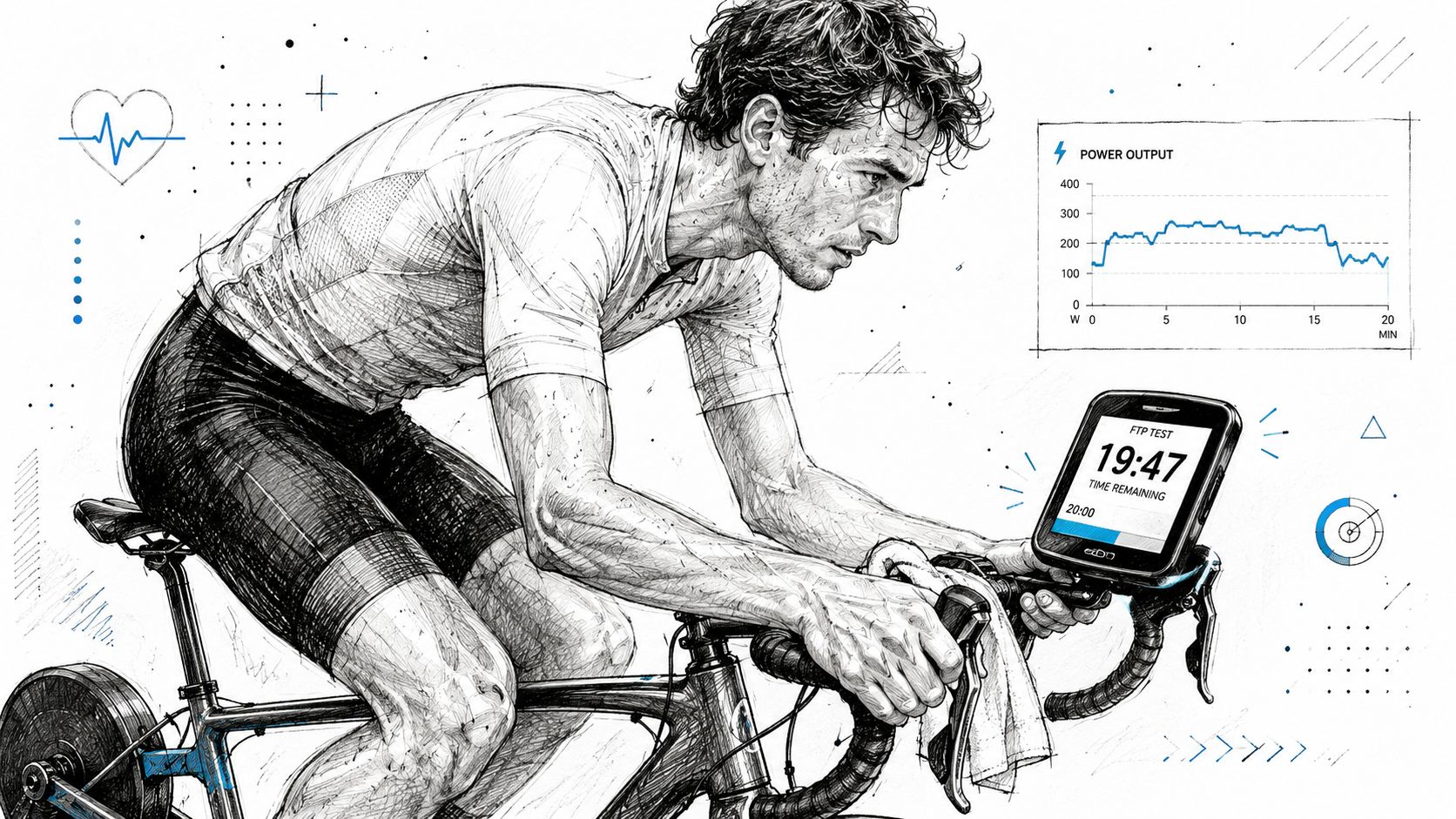
Warm up thoroughly, then ride 20 minutes at the hardest effort you can sustain evenly. Your FTP estimate is 95% of the average power from that effort. The job is not to survive 20 minutes. The job is to produce the highest stable average power you can hold from start to finish.
Pacing decides whether this test is useful. Riders who go out too hard often produce an inflated first five minutes, a fading middle, and a final number that says more about impatience than fitness.
A better approach looks like this:
- Open under control: The first few minutes should feel firm, not desperate.
- Keep power smooth: Small fluctuations are normal. Repeated surges usually cost more than they give back.
- Settle into the middle: The result is built here.
- Lift late if you have it: A modest increase in the final minutes usually means the pacing was honest.
Most failed FTP tests are ruined early.
The ramp test
Ramp tests remove a lot of the pacing guesswork. Power rises step by step until you cannot continue, which makes the protocol straightforward and mentally cleaner for many riders, especially indoors.
That convenience is useful, but it does not make the ramp test automatically better. Riders with a strong anaerobic contribution can score higher than their true steady-state ability. Diesel riders sometimes test a little low. The practical answer is consistency. Use the same test type under similar conditions, compare it against how your workouts feel, and adjust only when the training evidence supports it.
This is also the point where testing needs to connect to execution. Once you have a believable FTP, turn it into sessions you can effectively ride on your device. A library of structured bike interval workouts you can send to Garmin or Wahoo makes the number useful the same day you test.
What to do before and after
Preparation changes the result more than many riders expect. A solid protocol keeps the number believable and easier to use in your next training block.
Use this checklist:
- Calibrate your power source: A miscalibrated power meter or trainer gives you clean-looking but wrong zones.
- Pick a controlled setting: Indoors is usually best because traffic, wind, and terrain do not interrupt the effort.
- Warm up properly: Start the test ready to work, not still trying to wake the legs up.
- Record heart rate: It adds context and can help you set heart-rate zones alongside power.
- Review the file afterward: Check the pacing, average power, and how the effort felt. If the graph is wildly uneven, be cautious about building a full plan from that number.
One more coaching rule helps here. If your FTP jumps on paper but your next threshold session falls apart, trust the workout feedback. A test result only matters if it holds up in training.
Here’s a visual walkthrough that can help if you prefer seeing the protocol in action.
Calculating Your Training Zones from FTP
You finish an FTP test, get a number you trust, and then important questions arise. What should endurance pace feel like in watts? Where should threshold intervals sit? How hard is too hard for VO2 work? This is the step that turns a test result into sessions you can load onto your Garmin or Wahoo and ride with purpose.
As outlined in Scientific Triathlon’s bike training zones calculator guide, a standard seven-zone model uses these FTP percentages:
Your seven power zones
| Zone | Name | Range |
|---|---|---|
| Zone 1 | Active Recovery | <55% of FTP |
| Zone 2 | Endurance | 55-75% of FTP |
| Zone 3 | Tempo | 76-90% of FTP |
| Zone 4 | Threshold | 91-105% of FTP |
| Zone 5 | VO2 Max | 106-120% of FTP |
| Zone 6 | Anaerobic Capacity | 121-150% of FTP |
| Zone 7 | Neuromuscular | >150% of FTP |
The math is simple. The application is where riders either get better or waste good data.
Take your FTP, multiply it by each zone boundary, and round to a practical target. In coaching, I usually round to the nearest whole watt and then sanity-check the result against the workout. That matters because a clean table is useful only if it produces targets you can hold indoors, outdoors, and under fatigue.
A worked example
Say your tested FTP is 250 watts.
Your zones would look like this:
- Zone 1: below 55% of FTP, so below 138W
- Zone 2: 55% to 75%, so 138W to 188W
- Zone 3: 76% to 90%, so 190W to 225W
- Zone 4: 91% to 105%, so 228W to 263W
- Zone 5: 106% to 120%, so 265W to 300W
- Zone 6: 121% to 150%, so 303W to 375W
- Zone 7: above 150%, so above 375W
Now the number starts doing real work. A Zone 2 ride becomes 138W to 188W. A 3 x 8-minute threshold session becomes a repeatable target instead of riding by feel and hoping you land close enough.
That is also why an FTP zone calculator should do more than spit out percentages. The useful version helps you take those ranges straight into structured workouts. If you build sessions in TextFit, for example, these wattage bands can become workout steps you send to your head unit the same day, which closes the gap between testing and training.
For riders who care about climbing, race selection, or comparing flat power to uphill performance, raw FTP is only part of the picture. This cycling power-to-weight ratio calculator guide adds body weight context without changing your core zone setup.
A quick note on heart rate
Power should lead here because FTP zones are built from power. Heart rate still helps as a secondary check, especially on long endurance days, in hot conditions, or when trainer and outdoor power do not quite match.
A critical warning from Scientific Triathlon is that an uncalibrated power meter or incorrect crank length setting can throw off the entire calculation. If the FTP input is wrong, every zone you build from it is wrong too. Before you trust the table, trust the device setup.
Common Mistakes in FTP Testing and Zone Training
You test on Saturday, plug the number into an FTP zone calculator, then head out Tuesday for threshold work. By the second interval, the target feels absurd. Or the opposite happens. Everything feels manageable, but race pace never improves. In both cases, the problem usually sits between the test result and how the zones are being used.
The grey zone trap
A common training error is turning too many rides into moderate efforts. As noted earlier, Roadman Cycling calls out the tendency to drift into Zone 3, where riding feels productive but often misses the primary goal of the day.
Why does this happen? Because Zone 3 is comfortable enough to hold and hard enough to feel satisfying. Riders finish tired, so the session feels worthwhile. The trade-off is that easy days stop being easy enough to support recovery, and hard days lose the quality needed to push fitness forward.
A better approach is simple:
- Easy rides should stay easy: If recovery is the goal, protect it.
- Hard sessions should be honest: Hit the prescribed power instead of settling into a medium effort.
- Long endurance rides need supervision: Watch for power creep on hills, group surges, and late-ride fatigue.
Zone 3 still has a place, especially in some build phases and race-specific work. It just should not take over the week by accident.
When the test type does not fit the rider
The test itself can mislead you if it does not suit your physiology. As noted earlier, some riders get inflated numbers from a 20-minute test, while others get depressed numbers from a ramp test. Anaerobically strong athletes are the usual example, but the practical lesson applies more broadly. A test is only useful if the training it produces is repeatable.
I judge FTP by what it does in workouts. If threshold intervals feel impossible from the opening rep, the number is probably too high. If sweet spot and threshold work feel oddly tame for several weeks, it may be too low.
Many athletes encounter difficulty at this point. They trust the calculator more than the training response. The calculator is doing its job. It is only converting the input. The crucial question is whether the input matches the rider.
That is also why it helps to move quickly from the test result into actual sessions on your head unit. Building a few workouts with a cycling workout plan builder exposes bad zone setting fast, especially when you can compare prescribed targets with how the efforts feel outdoors and indoors.
Technical errors that ruin good intentions
Sometimes the physiology is fine and the plan is fine. The setup is the problem.
Poor pacing, a bad course, stale calibration, incorrect crank length, or inconsistent trainer conditions can all distort the result. Then every zone built from that FTP is off by just enough to cause trouble. You may still complete sessions, but the training stress lands in the wrong place.
Use a simple check. Compare the FTP result against repeatable training reality over the next two to three key sessions. If the number does not line up with what you can consistently perform, audit the test process before changing the whole plan.
Good zone training is not about chasing a perfect number. It is about getting a believable number, using it consistently, and correcting it quickly when the workouts say it is wrong.
Syncing Zones and Workouts to Your Device
Getting the zones right is only half the job. The next step is putting them where you’ll use them. If your FTP lives in a note on your phone but not inside Garmin Connect or the Wahoo ELEMNT ecosystem you ride with, the training plan still hasn’t reached the handlebars.
Updating FTP on Garmin and Wahoo
The practical workflow is straightforward. You test, confirm the number looks realistic, then update your FTP inside the platform that feeds your device. From there, your head unit can display target zones and guide structured sessions more cleanly.
Favero notes that the training zone framework is compatible with major ecosystems including Garmin Connect, Wahoo, TrainingPeaks, Zwift, and TrainerRoad in its power training zones article. That compatibility matters because it means your tested FTP doesn’t need to stay trapped in one app.
For most athletes, the process should look like this:
- Enter the new FTP promptly: Don’t leave an old number in place for weeks.
- Check the zone table generated by the platform: Make sure the ranges align with the system you intend to use.
- Verify workout targets after syncing: A correct FTP with stale workout files can still create the wrong ride.
Turning zones into actual workouts
Many riders often lose momentum here. Calculating zones is quick. Building workouts can be annoying.
The old workflow usually involves opening a graphical workout builder, dragging blocks around, typing durations one by one, setting power targets manually, and then checking that the repeats line up. It works, but it’s clunky. It also creates friction on the exact day you’re supposed to train.
A better workflow is text-first. If the workout in your notes says “3 x 10 minutes at sweet spot, 5 minutes recovery,” software should be able to convert that into a structured session and push it to your device without making you rebuild it from scratch.

If you want to see how that broader workflow compares to traditional builders, this workout plan builder overview is a useful reference point.
Why execution friction matters
Athletes often think their problem is motivation. More often, it’s setup friction. If turning coach notes into a rideable workout takes too many clicks, too much editing, or too much interpretation, consistency starts slipping.
What works better is a system where:
| Old approach | Better approach |
|---|---|
| Manual block building | Start from plain-language workout instructions |
| Re-entering every interval | Convert the session directly into structured steps |
| Separate planning and sending | Push the workout to the device you’ll ride with |
| Last-minute editing confusion | Review targets before syncing |
That’s the key bridge between an FTP zone calculator and better training. Not the math itself. The bridge is getting the right wattage targets onto the screen you follow during the session.
When that handoff is smooth, your zones stop being theory and start becoming behavior.
Conclusion From Numbers to Real-World Results
An FTP zone calculator gives you the structure. The gains come from using it well. Test carefully, calculate your zones accurately, and then apply them consistently in workouts that reach your Garmin or Wahoo without extra hassle.
That’s the progression that works in practice. Good data. Clear targets. Fewer avoidable mistakes. More sessions done as intended.
If you want a simpler way to turn plain-language workout notes into structured sessions and send them to your devices, join the TextFit mailing list. It’s built for athletes and coaches who want less admin between the plan and the ride.