Workout Plan Builder: From Text to Garmin and Wahoo
You’re probably doing this the hard way right now.
You have a workout in your head, or maybe in a coach note, and all you want is to get it onto a Garmin watch or Wahoo head unit before the session starts. Instead, you open a builder, start dragging blocks around, resize a warmup, add repeats, fix the recoveries, realize one interval should be by pace not time, and then spend more energy building the session than riding or running it.
That friction matters. Endurance athletes live on repeatable structure. Coaches live on clear communication. When the tool slows both down, people either simplify the workout too much or avoid updating it at all. A fast workout plan builder should remove that bottleneck, not create a new one.
Table of Contents
- Tired of Clicking? There’s a Faster Way to Build Workouts
- Why a Text-First Builder Is a Better Fit for Real Coaching
- Crafting Your First Workout with Plain Language
- Advanced Templates and Precise Target Setting
- Syncing to Devices and Streamlining Coaching
- Frequently Asked Questions
Tired of Clicking? There’s a Faster Way to Build Workouts
Most workout builders still assume the best way to create intervals is visually. On paper, that sounds sensible. In practice, it’s slow. You click into a library, choose a step, drag it onto a timeline, edit the duration, duplicate it, add recovery, then repeat the same process until the workout resembles what you originally wrote in one line.
That’s backwards.
A structured session usually starts as language. A coach writes, “15 min easy, 5x3 min at threshold with 2 min easy, 10 min cooldown.” An athlete texts, “Can you send me 8x400 with jog recovery?” Nobody thinks in colored blocks first. The graphical editor is a translation layer, and that translation takes time.
A text-first workout plan builder removes that extra layer. You type the session the way you’d naturally describe it, review the parsed structure, make a quick tweak if needed, and send it on. That workflow feels closer to writing a message than operating training software.
Practical rule: If a workout takes longer to build than to explain out loud, the builder is the problem.
That’s why this approach works so well for endurance sport. Interval sessions are consistently patterned. Warmup. Main set. Recoveries. Cooldown. Repeats, targets, rests, and unit changes all fit naturally into plain language. A good parser turns that plain language into the structure your device needs without making you babysit every block.
For athletes who want fewer pre-session steps, and for coaches who write the same workout in multiple versions for different people, text-first creation is cleaner. If you want to see what that kind of workflow looks like in practice, TextFit’s plain-language workout workflow is built around that idea.
Why a Text-First Builder Is a Better Fit for Real Coaching
Speed matters, but the bigger win is lower friction. A text-first workout plan builder lets coaches stay in coaching mode instead of switching into software mode every time they need to write or adjust a session.
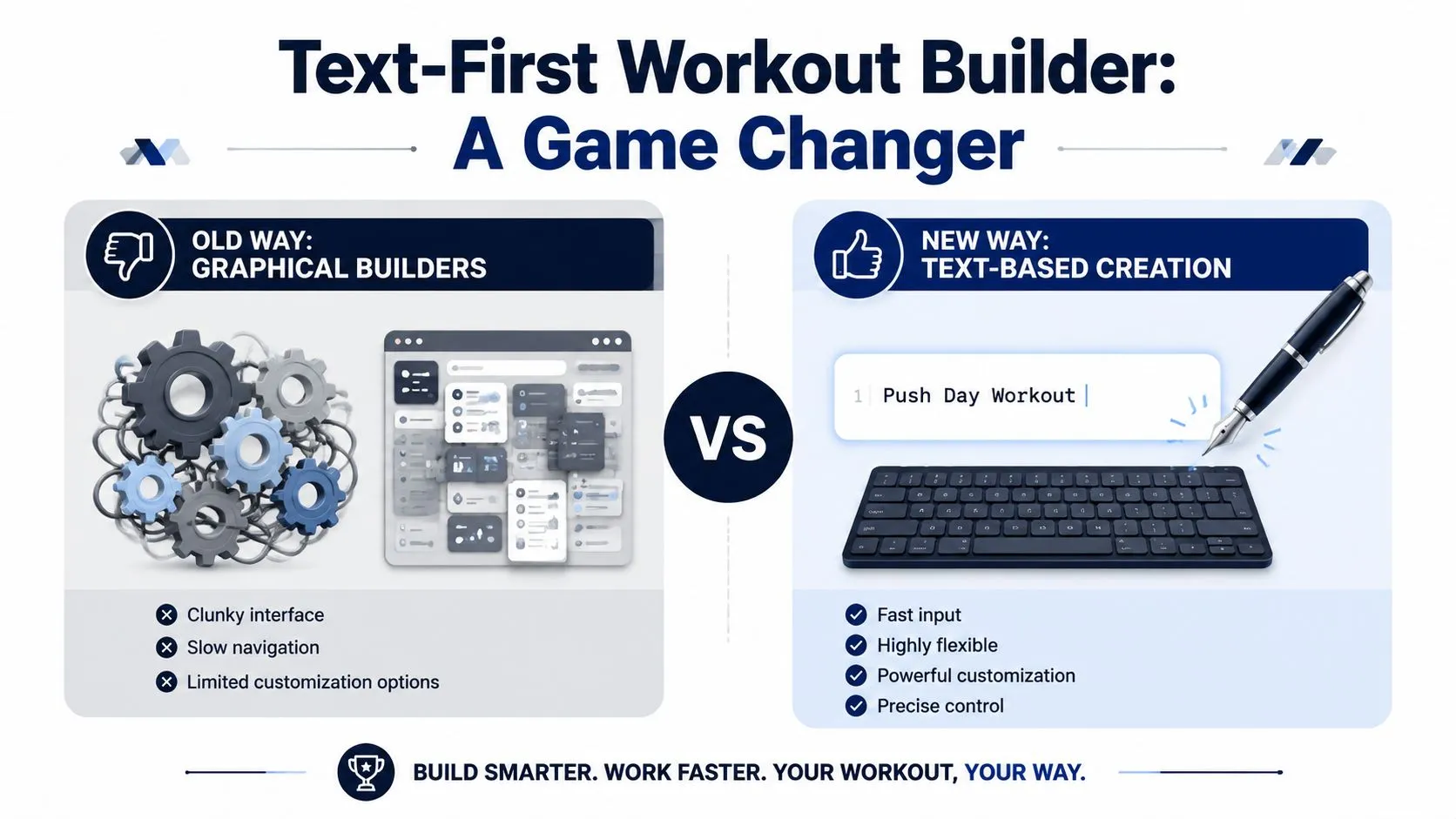
Graphical builders slow down small decisions
The problem with graphical editors is not that they are unusable. The problem is that they turn simple edits into interface work. You click into a block, choose a target type, adjust a duration, check the repeat structure, then make sure the recovery interval still lines up with the intent of the set.
That cost adds up fast in real coaching.
A single workout is manageable. A full training week for ten athletes is different. So is the Tuesday afternoon rewrite after a rider reports heavy legs, or the last-minute change from pace to heart rate because a runner is heading onto trails instead of the track. In those moments, the fastest workflow wins.
Static plans often get abandoned for the same reason many coaching systems break down. They are too slow to adapt once real life gets involved. Athletes get sick, travel, miss sessions, or show up fresher than expected. A builder should make those adjustments easy, not turn them into another admin task.
Text matches the language coaches and athletes already use
Coaches write workouts in sentences. Athletes ask for them in sentences. Good software should start there.
Here’s the practical difference:
| Workflow | What it feels like |
|---|---|
| Graphical builder | Translating the workout into software step by step |
| Text-first builder | Writing the session once, then checking the parsed result |
That is why text-first creation feels so fast in day-to-day use. “6x2 min uphill at 5k effort, jog back recovery” is already the workout. “4x8 min at sweet spot, 2 min easy between” is already the workout. The builder’s job is to parse it correctly, not force a second rewrite through menus and draggable blocks.
I have found this especially useful when coaching across languages. A multilingual text-first builder removes a problem that many tools ignore. If an athlete thinks in Spanish, German, or French, the session should still start with natural wording instead of awkward translation into fixed interface labels. That saves time and reduces setup mistakes before the workout even reaches the device.
Practical rule: If you can explain the session in one sentence, you should be able to build it in one pass.
There is a clarity benefit too. Text keeps the prescription close to the original intent. When a coach writes “10x30 sec fast with 30 sec float,” the emphasis is obvious. When that same workout gets rebuilt block by block, it is easier to lose the nuance, especially in mixed sessions with changing recoveries, nested repeats, or target shifts from power to pace to open effort.
The result is a workflow that fits real training. If recovery needs to drop from 90 seconds to 60, edit the sentence. If the cooldown needs another 15 minutes, add it. If one athlete needs power targets and another needs RPE, change the wording and move on. That is faster, easier to teach, and much closer to how endurance coaching already works.
Crafting Your First Workout with Plain Language
At 5:30 a.m., with messages coming in from athletes in different time zones, the fastest way to build a session is to type the workout the way you already coach it. No block library. No dragging recoveries into the right lane. The session, written once, ready to parse.
A good first workout usually follows a simple flow: warmup, main work, cooldown. That structure covers a large share of run, bike, and multisport sessions, and it keeps the text easy for both the builder and the athlete to read.
-
Warmup
“Warmup 15 min easy” -
Main set
“5x3 min at Zone 4, 2 min easy recovery” -
Cooldown
“Cooldown 10 min easy”
That is enough for many device-ready workouts. Direct language beats clever formatting.
Here are plain examples that tend to parse cleanly:
-
Cycling threshold session
“Warmup 20 min easy, 4x8 min at 95% FTP with 2 min easy, cooldown 10 min” -
Running track workout
“15 min easy, 8x400m at 5k pace with 400m jog recovery, 10 min easy” -
Short VO2 set
“10 min warmup, 2 sets of 6x1 min hard with 1 min easy, 4 min between sets, 10 min cooldown”
The parser mainly needs four things: the work interval, the repeat structure, the intensity target, and the recovery. If one of those is vague, the output usually gets vague too.
-
Duration or distance
Use “3 min,” “30 sec,” “400m,” or “1 km.” -
Repetition structure
Use “5x,” “8 repeats,” or “2 sets of 4x.” -
Intensity target
Use terms the athlete already understands, such as “Zone 2,” “tempo pace,” “threshold,” “95% FTP,” or “HR Zone 3.” -
Recovery instruction
Add “with 2 min easy,” “jog back recovery,” or “30 sec float.”
I have found that coaches get the best results when they write exactly as they speak. If you would text an athlete, “6x2 min uphill at 5k effort, jog down recovery,” write that. If your athlete prefers Spanish, write it in Spanish. A text-first builder should meet the athlete where they are instead of forcing every session through English-only labels and fixed menu choices.
Write for the athlete who opens the workout half awake on a cold morning. If the prescription is clear at that moment, it is usually clear to the builder too.
A useful pattern is:
[Warmup] + [Repeats] + [Target] + [Recovery] + [Cooldown]
For example:
- “12 min easy, 6x2 min at 10k pace with 90 sec jog, 8 min easy”
- “15 min warmup, 5x5 min at 110% FTP with 5 min recovery, 10 min cooldown”
- “20 min easy, 3x10 min at tempo HR with 3 min easy, 10 min easy”
Good input is specific without becoming cluttered.
Strong input
- “4x6 min at threshold with 2 min easy”
- “10x200m fast with 200m walk”
- “3x12 min at marathon pace with 3 min jog”
Weaker input
- “Some threshold work”
- “Intervals hard then easy”
- “Tempo stuff for a while”
The difference matters in real coaching. “Hard” can mean VO2 max for one athlete and controlled threshold for another. “Tempo” might mean marathon effort, upper Zone 3, or a steady heart-rate cap depending on the sport and the coach. Clear text removes that guesswork before the workout hits the watch or head unit.
For bike sessions, a good reference point is this collection of interval training bike workout examples that use the same direct, text-friendly style.
Progression still matters. Repeating the same wording every week without adjusting duration, recovery, or target usually leads to stale training. The advantage of a text-first workflow is speed. Changing “5x5 min at 110% FTP” to “6x5 min” or swapping power for RPE takes seconds, which makes it much more likely that the plan stays current.
Advanced Templates and Precise Target Setting
Once basic text entry feels natural, the next jump is specificity. That is what makes a workout plan builder more than a convenience tool. It becomes a way to standardize high-quality sessions without slowing down the writing process.
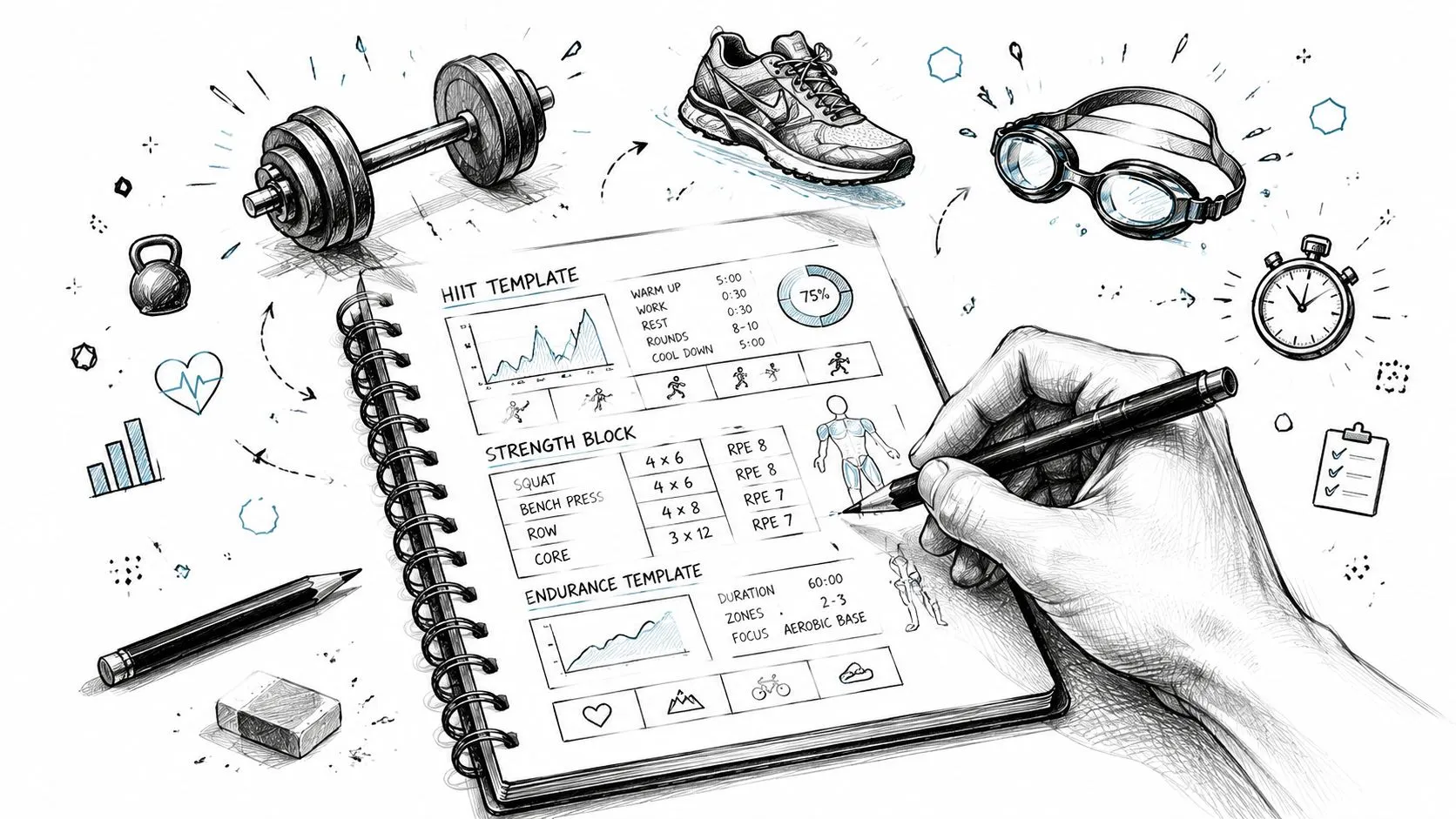
Copy-paste workout templates
These templates are practical starting points you can adjust for the athlete, event, and time of year.
Cycling VO2 max
- 20 min easy
- 5x5 min at 110% FTP with 5 min easy
- 10 min cooldown
This is the classic aerobic power set. It’s hard to get wrong conceptually, but easy to mistype in a drag-and-drop builder.
Running threshold
- 15 min easy
- 3x10 min at tempo pace with 3 min jog
- 10 min easy
This works well for athletes who need sustained control rather than repeated surges.
Brick session
- Bike 15 min easy
- 4x6 min at strong steady effort with 2 min easy
- Transition
- Run 10 min easy, then 6x1 min at 10k effort with 1 min easy
That kind of mixed session is where text shines. You can describe the flow naturally instead of forcing multisport logic into a single-sport editor.
For more bike-specific session ideas, this interval training bike workout guide is a useful reference point for the kinds of sets that translate cleanly into structured workouts.
Choosing the right target language
A good builder should accept the target style that matches the sport and athlete.
| Target type | Best used for | Example phrasing |
|---|---|---|
| Power | Cycling with a power meter | “4x8 min at 95% FTP” |
| Pace | Running sessions and race-specific work | “6x800m at 10k pace” |
| Heart rate | Endurance control and steady work | “30 min in HR Zone 2” |
| Perceived effort | Travel, trails, hills, mixed conditions | “8x1 min hard with 1 min easy” |
A few practical phrasing patterns work especially well:
- Percent of FTP
“3x12 min at 90% FTP” - Watts
“5 min at 260 watts” - Min per kilometer or mile pace
“4x1 km at 4:10/km with 2 min jog” - Pace zone
“20 min at marathon pace” - Heart rate zone
“40 min in HR Zone 2” - Percent of LTHR
“15 min at 88% LTHR”
The right target is the one the athlete can execute accurately on the day. Precision on paper is useless if the athlete can’t use it outdoors.
In coaching practice, I’ve found that text-first builders are especially effective when athletes use different target systems. One rider wants %FTP. Another wants watts. A runner wants pace. A trail athlete needs effort-based language because terrain makes exact splits unrealistic. Text handles those variations naturally.
Syncing to Devices and Streamlining Coaching
The coaching win happens at 6 a.m., not when the workout is written. The athlete opens Garmin or Wahoo, taps start, and the session is there with the right steps, targets, and recoveries. No screenshot in a chat thread. No copied notes in the parking lot. No second round of setup after the plan is finished.
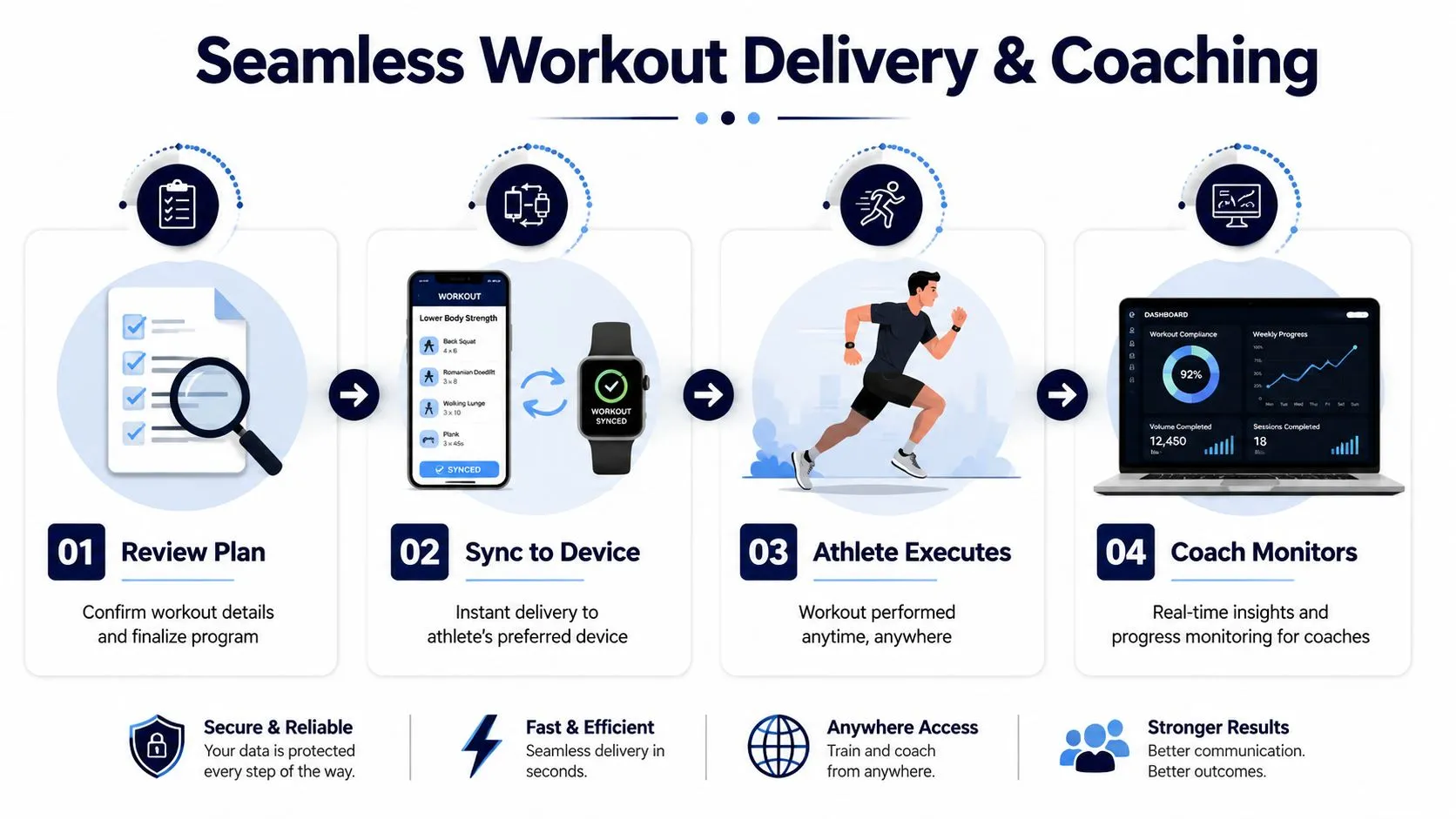
From typed workout to device-ready session
A fast workflow is simple.
- Type the workout in plain language.
- Check the parsed structure for repeats, recoveries, and targets.
- Fix any small mismatch in the preview.
- Send it to the athlete’s device platform.
For Garmin athletes, that usually means the workout appears in Garmin Connect and then on the watch or head unit. For Wahoo athletes, it typically passes through the ELEMNT app before it reaches the device. The exact path matters less than the result. The coach writes once, reviews once, and the athlete gets a session they can execute immediately.
That review step saves headaches. I always check sessions with nested repeats, mixed targets, or short recoveries, because those are the places where a tiny formatting issue can change the feel of the workout. Catching it in preview takes seconds. Fixing it after an athlete has already loaded the session is slower and more annoying for everyone.
Where multilingual input changes day-to-day coaching
Many workout guides ignore language. In practice, language is part of workout accuracy.
English-only builders force coaches to translate on the fly, and that is where instructions get watered down. A Spanish-speaking coach may write a threshold progression exactly how the squad understands it. A French-speaking runner may expect a familiar pacing term. A German triathlon coach may use shorthand the whole group knows. If the tool only accepts English, somebody has to rewrite the workout before it can be built, and every rewrite creates room for small mistakes.
I see this most often with intensity cues and recovery instructions. “Controlled hard,” “build through the last minute,” and “steady, not tempo” all carry coaching intent that athletes recognize in their own language. A text-first builder that accepts multilingual input preserves that intent while still producing a structured session for the device. That is a real advantage over graphical editors, where the coach spends more time hunting through menus and still has to translate the workout logic manually.
For coaches managing several athletes, the speed difference adds up fast. Writing a week of bike sessions as text, checking the parser, and pushing them to devices is much quicker than rebuilding each workout block-by-block in a visual editor. It also makes remote coaching cleaner. The athlete receives a structured session on the device, and the coach keeps the original wording that explains the purpose behind it.
Privacy matters too, especially when a tool stores athlete schedules, device connections, and training data. Before using any platform across a team, review its privacy policy and data handling practices.
Frequently Asked Questions
What if the parser gets part of the workout wrong
That’s exactly why preview matters. Review the structured workout before syncing it. If the recovery was interpreted incorrectly, or one interval should be by distance instead of time, fix the text or make a light edit in the preview.
The point of a text-first workflow isn’t blind automation. It’s faster drafting with a clear checkpoint before the workout reaches the athlete.
Can I use this for more than bike intervals
Yes, especially for endurance formats that already translate well into written instructions. Running intervals, cycling sessions, and many triathlon workouts fit naturally into plain-language structure.
Strength work is a different case. It can still benefit from structured planning, but the logic often includes training split, exercise selection, weekly volume, rep ranges, progression, balance across muscle groups, and exercise order. Those are all part of effective program construction, but they require a different planning layer than a simple endurance interval builder.
What about platforms beyond Garmin and Wahoo
Garmin and Wahoo are the most obvious use cases for many endurance athletes because they rely heavily on structured execution during sessions. Other ecosystems may be supported directly or through compatible export and sync paths depending on the product.
The practical question is simple. Can the workout get from your typed note to the athlete’s actual device with minimal friction? If yes, the builder is doing its job.
Is text input only useful for advanced athletes
No. Beginners often benefit even more because the workout stays readable.
“10 min easy, 6x1 min steady with 2 min easy, 10 min easy” is easier to understand than a busy screen full of blocks. Coaches can keep the language plain while still delivering structure.
How detailed should I make each workout
Detailed enough to remove ambiguity, not so detailed that the workout becomes hard to read. Include the work interval, the recovery, and the target. Add extra notes only if they change execution.
A short, clean session description usually beats an overbuilt one.
Does this help coaches managing multiple athletes
Yes, because it reduces repetitive setup work.
Coaches rarely struggle with knowing what session to prescribe. They struggle with turning that session into a polished, device-ready workout for every athlete variation. Text-first creation makes it easier to duplicate the core session, adjust targets, tweak recoveries, and send a personalized version without rebuilding everything from scratch.
If you want a faster way to turn plain-language sessions into structured workouts, TextFit does this today. Type the workout the way you already think, in any language: “15 min easy, 5 x 3 min at threshold with 2 min easy, 10 min cooldown”. Review the structure, then it syncs to your Garmin or Wahoo and schedules on Apple Watch. Free to start, no sign-up needed.
Published via Outrank tool