Choosing a Workout Schedule App: The 2026 Athlete's Guide

You already know the feeling. The workout itself looks straightforward in your coach’s note or your own training calendar, but getting that session into a device turns into a second task you didn’t plan for. You’re pinching blocks on a phone screen, fixing interval lengths, hunting for the right target field, then checking whether Garmin, Wahoo, or your watch received it.
That’s the part most reviews skip. They talk about libraries, dashboards, and badges. Athletes usually care about something simpler. How fast can I turn a workout idea into a guided session, and can I do it in the language I use when I think about training?
A good workout schedule app does more than store sessions. It removes friction between plan and execution. The best ones also stop forcing athletes into awkward English-only builders that don’t match how workouts are naturally described.
Table of Contents
- The Pre-Workout Workout You Should Not Be Doing
- Beyond Logging Miles: What Structured Workout Apps Do
- The Anatomy of a Powerful Workout Scheduling Tool
- Your Decision-Making Checklist for the Right App
- Common Pitfalls and Hidden Frustrations to Avoid
- The Next Evolution: How TextFit Solves Workflow Pains
- Build Your Perfect Training Week, Not Your Workouts
The Pre-Workout Workout You Should Not Be Doing
A lot of athletes are doing admin before training and pretending it’s normal.
You get a message that says something like: warm up, then five by three minutes at threshold with short recoveries, then cool down. That should be easy. Instead, you open a builder, create each step manually, duplicate intervals, correct one field that copied wrong, save the workout, name it, then sync it and hope your device interprets it the way you intended.
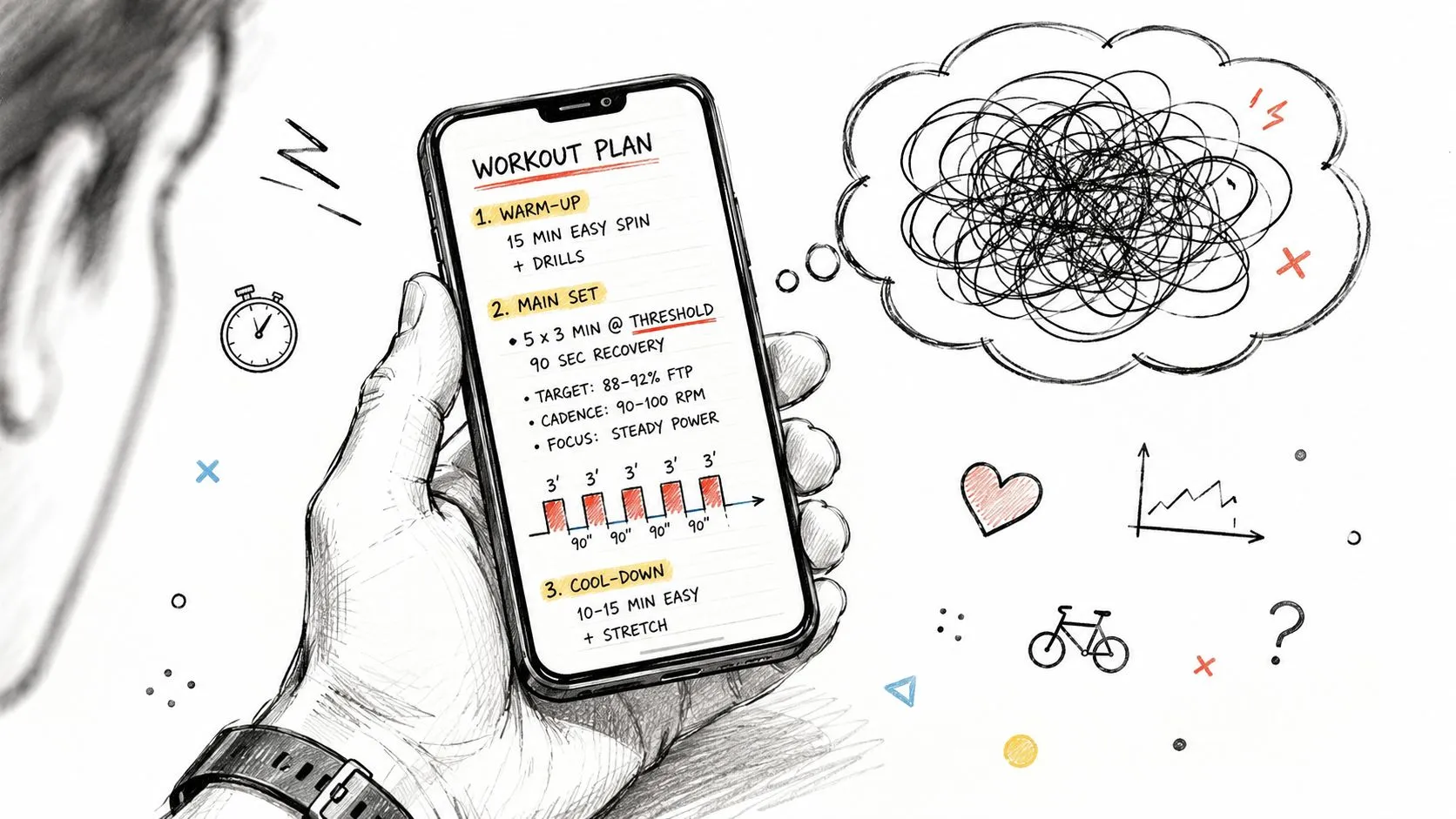
That process is annoying for a single session. It gets worse when you coach a group, travel with limited gear, or revise sessions at the last minute because weather, fatigue, or scheduling changed. A workout schedule app should reduce that friction. Too many older ones digitize it instead.
Where old builders break down
The problem isn’t only bad design. It’s mismatch.
Athletes think in plain instructions. Most traditional builders think in nested menus, tiny draggable blocks, and rigid forms. That gap creates errors. A recovery interval gets entered at the wrong duration. A pace target gets assigned as a heart-rate target. One repeat disappears during editing. You don’t notice until the session starts beeping nonsense mid-workout.
Practical rule: If building the session feels harder than doing the first interval, the tool is working against you.
Structured training depends on precision. If you’re doing intervals on a Garmin watch, a Wahoo head unit, or an indoor setup, you want the device to guide the work so your brain stays on pacing, posture, and effort, not on mental math.
The hidden cost is mental load
Users often describe this as “a clunky interface,” but the bigger issue is attention. You spend training energy before training starts.
That’s why the best modern apps feel different right away. They compress the path from idea to executable session. Instead of making you translate your own workout into software language, they’re built to understand the way athletes already write and speak.
Beyond Logging Miles: What Structured Workout Apps Do
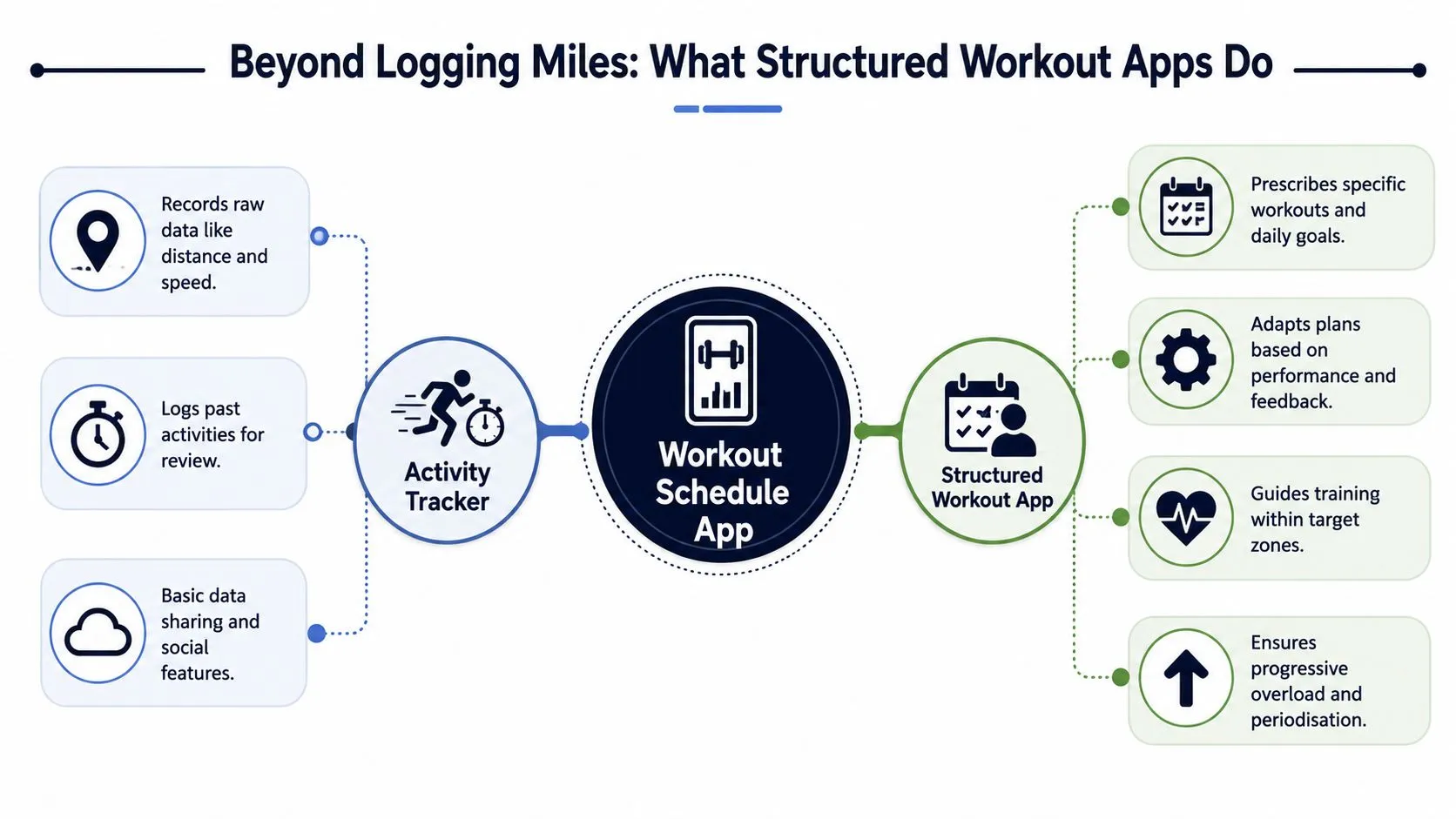
A basic tracker records what happened. A structured workout schedule app tells you what to do next.
That’s the cleanest distinction. Strava, Apple Fitness, and similar tools are useful for logging sessions, reviewing pace, power, heart rate, and distance, and sharing activity afterward. But they usually aren’t the thing that actively guides you through a demanding interval session step by step.
Recipe versus ingredient list
The easiest analogy is cooking.
A tracker gives you the ingredients: distance, speed, time, average heart rate, lap splits. A structured app gives you the recipe: warm up for a set duration, hold Zone 4 for a defined block, recover for a shorter block, repeat, then cool down. During the session, your watch or bike computer can prompt each change so you don’t have to keep checking notes.
That changes execution quality. You stop guessing whether the interval has one more minute left. You stop drifting because you forgot the exact recovery length. The structure carries the session.
A good structured workout app reduces decision-making during training. That’s one reason athletes stick to plans more consistently.
Good apps don’t just store workouts
The stronger platforms also help shape them. According to a detailed breakdown of AI workout planner architecture, advanced systems collect inputs like goals, experience level, equipment, and schedule, then apply exercise-science logic to select splits, filter exercises by available equipment, assign rep ranges such as 6 to 8 for strength and 8 to 12 for hypertrophy, set weekly volume, and build progressive overload with deload structure. That’s different from a static template with a nicer interface.
For endurance athletes, the equivalent value is clear guidance and consistent structure. For strength athletes, it means the app can convert broad goals into a routine with explicit sets, reps, durations, and progression. If you want a broader look at how AI-generated sessions are changing workout creation, this free AI workout generator overview is a useful companion read.
What this looks like in practice
The difference shows up in the workout itself:
- Before the session: You choose or create a structured workout with clear targets.
- During the session: Your device cues each step, interval, and recovery.
- After the session: You review whether you hit the planned work, not only whether you exercised.
That’s why athletes who care about quality sessions should judge a workout schedule app by execution support first, social features second.
The Anatomy of a Powerful Workout Scheduling Tool
A polished interface is nice. It’s not enough.
The apps worth keeping solve specific problems that show up in training week after training week. If the tool fails when a workout gets slightly complicated, when your device mix changes, or when you need to edit on the fly, the nice dashboard stops mattering.
Interval structuring for real workouts
The first test is simple. Can the app handle real workouts, not demo workouts?
Many tools do fine with “30 minutes easy.” They get messy when you build nested intervals, progression sets, changing recoveries, or mixed targets like pace, power, and cadence cues. Endurance training often includes exactly that kind of session, and strength programming has its own version with set schemes, rest timing, and exercise substitutions.
What separates strong apps from weak ones is how little translation they require from the athlete.
- Complex repeats should stay readable: You should be able to understand a workout at a glance without opening five nested menus.
- Edits should be fast: If you change three-minute reps to four-minute reps, the app shouldn’t make you rebuild the whole session.
- Equipment context matters: If you’re traveling and only have dumbbells, bands, or a hotel treadmill, the app should reflect that reality instead of serving the same default plan.
That last point is where newer systems are better. Modern architectures can collect context and adapt structure accordingly rather than forcing everyone into one static builder. If you want to compare how builders approach this problem from a user workflow angle, this workout plan builder breakdown is worth reading.
Rock-solid device compatibility
An app can create a perfect workout and still fail you at the final step.
If it doesn’t sync reliably to the device you train with, the workflow falls apart. This is especially common for athletes living across ecosystems. Maybe you run with Garmin, ride with Wahoo, use Zwift indoors, and review data elsewhere. The schedule app has to play nicely with that setup or it becomes another silo.
Here’s a practical way to evaluate this:
| What to check | Why it matters |
|---|---|
| Direct sync support | Fewer transfer steps means fewer failure points |
| Clear workout rendering on device | A beautiful desktop workout is useless if the watch displays it poorly |
| Edit and resend speed | Last-minute changes happen all the time |
| Cross-device consistency | Your threshold session should mean the same thing everywhere |
Workflow speed is a real feature
Many buyers still treat speed as a convenience. It’s bigger than that.
If creating a workout is slow, you’ll avoid creating precise workouts. You’ll simplify sessions to make the software tolerable, or you’ll skip structure and “just run by feel” on days that needed tighter control.
Modern fitness app architectures can also do more than store plans. According to this overview of fitness app development, real-time AI feedback loops can adjust training intensity and frequency based on reported fatigue or performance drops, while smartphone cameras or wearable sensors assess movement quality, count reps, provide corrective prompts, and flag high injury-risk scenarios before they occur. That kind of adaptiveness moves an app closer to coaching support than static scheduling.
The best workout schedule app feels boring in the right way. You type, review, sync, and train. No wrestling match.
Your Decision-Making Checklist for the Right App
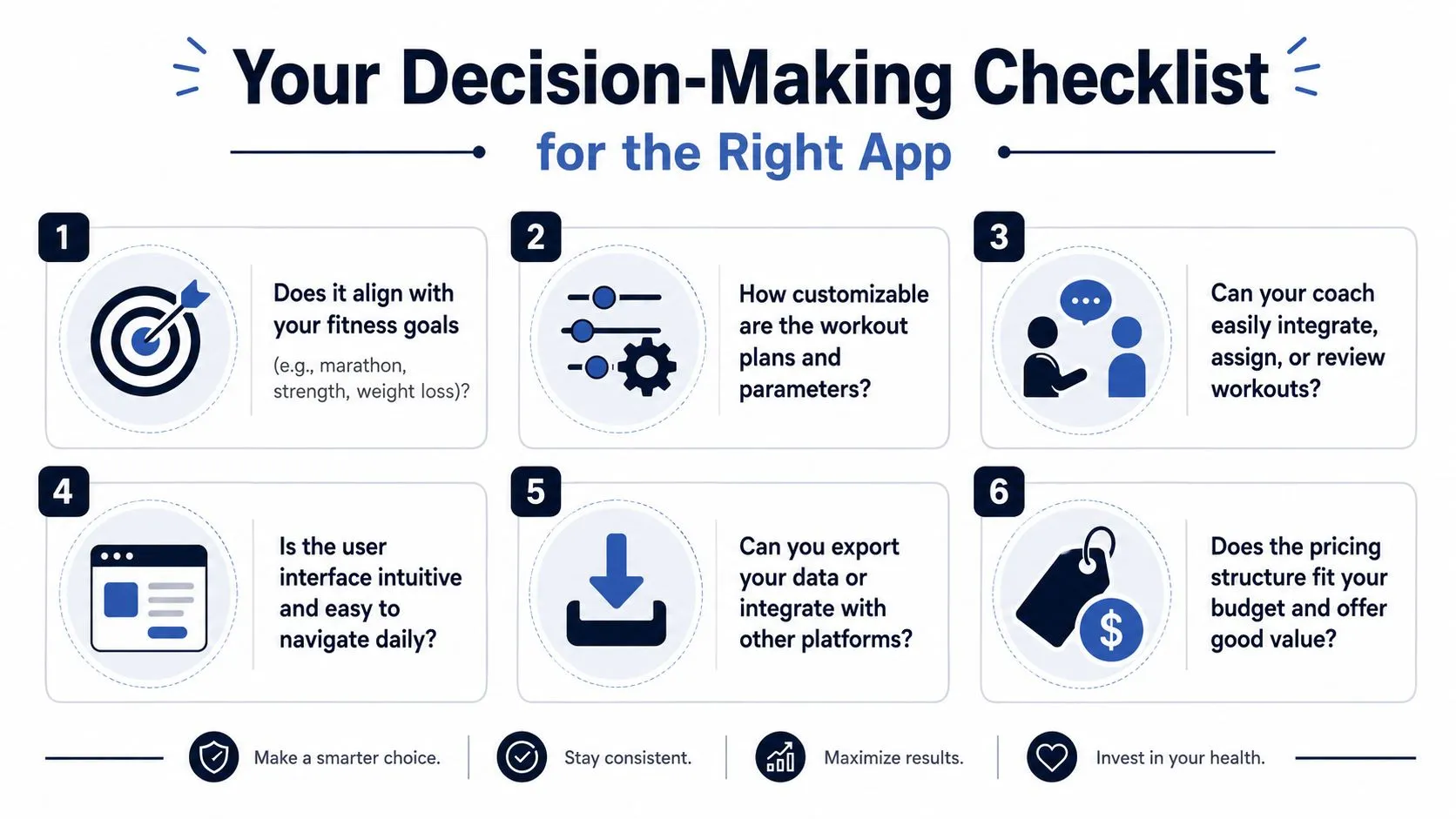
The right app depends less on popularity and more on your workflow. A runner building one interval session per week has different needs from a triathlon coach managing several athletes, and both have different needs from a strength athlete rotating equipment and schedule every few days.
Start with your weekly reality
Don’t start by browsing feature lists. Start with these questions.
- How many custom workouts do you build each week: If it’s occasional, almost any decent app can work. If it’s frequent, builder speed becomes a deciding factor.
- Do you coach others or only yourself: Solo athletes can tolerate more friction than coaches. Once you assign, revise, and resend workouts for other people, clunky tools become expensive in time.
- Which devices are in your ecosystem: Garmin, Wahoo, Apple Watch, Polar, Coros, Zwift, and indoor trainers all create compatibility demands. The less unified your device stack, the more important sync reliability becomes.
- How often do workouts change after they’re written: If your plans adjust for fatigue, travel, weather, or race schedule, pick a tool built for quick edits.
- Do you describe training naturally or mechanically: If you think in phrases like “four by eight minutes steady with short recoveries,” you’ll want an app that handles that style cleanly.
Check the app under pressure
A trial period is useful only if you test the annoying scenarios.
Try building a workout quickly on your phone while you’re not at a desk. Try revising one after it’s already scheduled. Try sending it to your actual watch or head unit. Try creating a session with more than one type of interval. If the app feels slow in those situations, it won’t feel better later.
Use this short field test:
- Create one simple workout and notice how many taps it takes.
- Create one messy workout with repeats and recoveries.
- Edit the messy workout after saving it.
- Send it to your main device and verify it displays correctly.
- Open it the next day and check whether the structure still makes immediate sense.
Coach’s note: The best app for you is often the one that disappears into your routine fastest, not the one with the loudest marketing page.
If language matters in your day-to-day training, put that near the top of the checklist, not near the bottom. For many athletes and coaches, that single factor rules out a surprising number of otherwise capable tools.
Common Pitfalls and Hidden Frustrations to Avoid
Most disappointment with a workout schedule app doesn’t happen on day one. It shows up after the honeymoon period, when regular use exposes the compromises.
The builder tax
Some apps look flexible because they let you drag, drop, duplicate, and customize every block. In practice, that can turn every session into hand assembly.
A builder tax is what you pay when software makes routine workout creation feel like document formatting. You can get the job done, but you resent the process. Athletes often compensate by making workouts simpler than they should be to avoid the interface.
That’s a bad trade. The software should conform to your training logic, not the other way around.
The language problem most companies ignore
This is the issue many reviews barely mention.
Most workout schedule apps still don’t support multilingual, natural-language input for structured intervals. Many rely on English-only drag-and-drop builders or rigid file imports that don’t match how athletes describe sessions. User research notes that 60% of fitness app users outside the US struggle with English-only interfaces, which makes multilingual support more than a nice extra for global users and teams (fitness app user research).
If you coach athletes in different countries, this becomes a daily operational problem. You either force everyone into English, rewrite sessions manually, or accept confusion and inconsistency.
Ecosystem lock-in shows up late
The other common trap is partial compatibility.
An app may work beautifully with one platform and awkwardly with another. You won’t always notice this in the trial because the failure appears when you add a second device, switch hardware, or try to coordinate multiple training contexts such as outdoor riding, indoor sessions, and running.
Watch for these warning signs:
- One-brand comfort: The app clearly favors a single device ecosystem and treats others as afterthoughts.
- Export friction: Moving workouts out of the app takes too many steps.
- Unreadable imports: Structured sessions lose clarity once they reach the destination device.
- Slow corrections: If sync fails, fixing the issue takes longer than recreating the workout elsewhere.
A workout schedule app should reduce fragmentation. If it creates more, keep looking.
The Next Evolution: How TextFit Solves Workflow Pains
The biggest shift in this category isn’t another library of templates. It’s a different input model.
Older tools ask athletes to build workouts the way software prefers. Newer tools can accept workouts the way athletes already describe them, then turn that text into structured steps. That changes the speed of the whole workflow.
Text first beats block first
Instead of dragging interval blocks around a canvas, a text-first system lets you write the workout in normal language and converts it into a session with repeats, recoveries, pacing targets, and structure. That’s the practical advantage of newer AI completion workflows.
As described in this video explanation of AI-generated workout creation, next-generation workout apps can use direct AI completion models to convert a single text-based prompt into a fully structured workout with steps, repeats, recoveries, and pacing targets in seconds. The point isn’t novelty. The point is removing setup overhead.
For an athlete or coach, that means the workout can begin life as a sentence, not as a construction project.
Examples of the text-first advantage:
- Paste coach notes directly: No manual translation into builder blocks.
- Turn short messages into structure: “Five by three minutes hard, ninety seconds easy” becomes an executable session.
- Review instead of rebuild: Your effort goes into checking the structure, not assembling it piece by piece.
Write workouts the way you’d text them to an athlete. Software should do the parsing.
It fixes the language bottleneck too
This model also matters because of language.
If a system accepts natural-language descriptions and normalizes units, durations, and targets, the athlete doesn’t have to convert thought into awkward app-speak first. That’s especially useful for international teams, multilingual coaches, and athletes who train better when instructions stay in their native language.
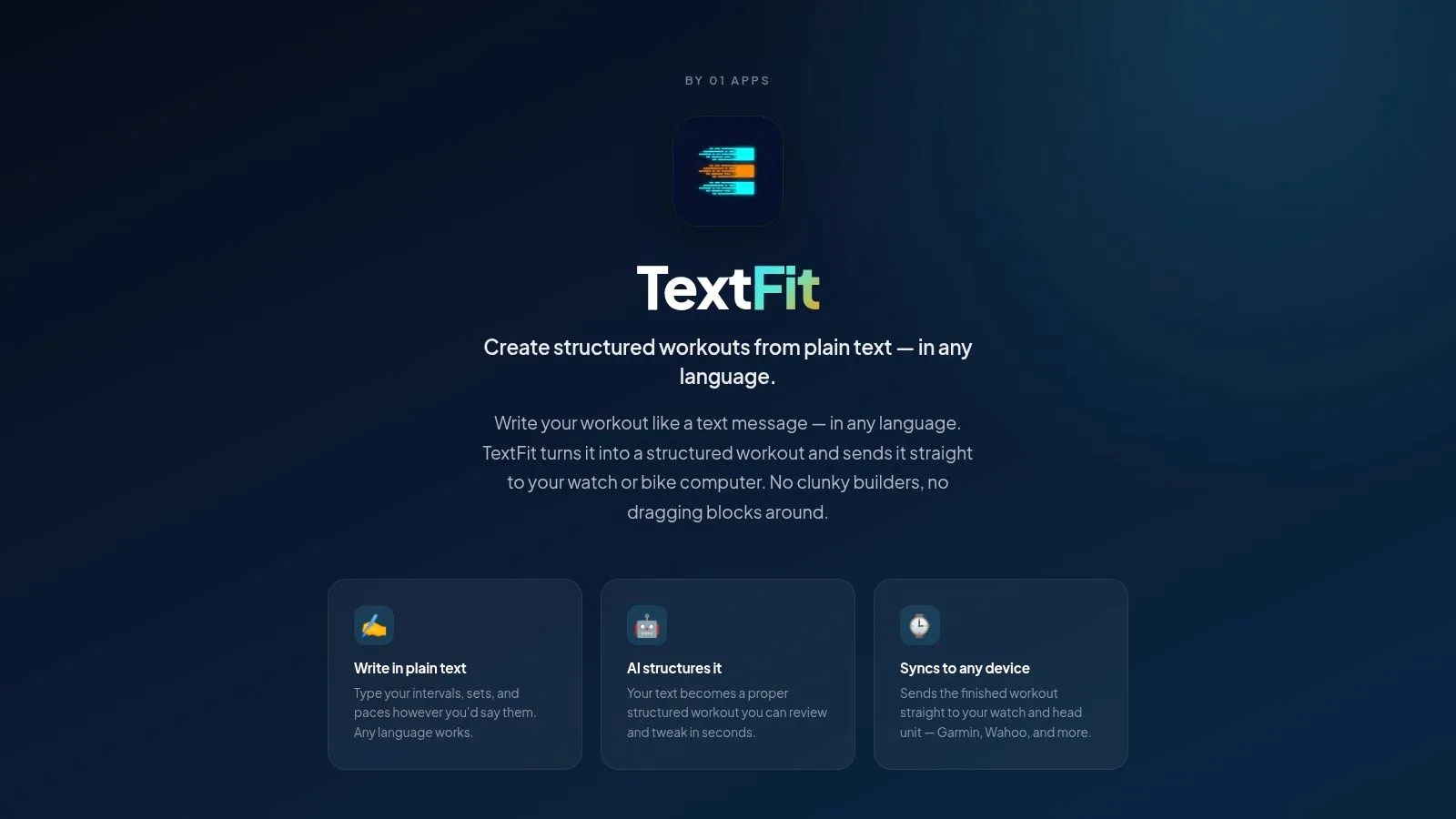
TextFit is built around exactly that workflow. You type the workout in plain language, in any language, review the structured session it builds, then sync it to Garmin or Wahoo or schedule it on Apple Watch. That combination addresses the three problems older tools often leave unsolved: creation speed, language friction, and device delivery.
This is why text-first feels like an evolution rather than another feature bundle. It aligns the software with how people already communicate training.
Build Your Perfect Training Week, Not Your Workouts
A workout schedule app should save your focus for the session itself.
If you’re spending too much time dragging blocks, correcting intervals, rewriting workouts in English, or troubleshooting sync before training, the app is failing at its main job. The better approach is faster and simpler. Describe the workout naturally, confirm the structure, send it to the device, and get on with training.
That’s the key dividing line in this category. It isn’t who has the prettiest dashboard. It’s who helps you move from plan to execution with the least friction. If you want more perspective on organizing sessions across a full week, this guide to a workout planner calendar is a useful next read.
If you’re tired of building workouts by hand, try TextFit. Type the session the way you’d text it to an athlete, in any language (“5 x 3 min at threshold, 90 sec easy”), review the structured version, and send it to your Garmin, Wahoo, or Apple Watch. It’s free to start and needs no sign-up.