Interval Training App Guide: What to Look For in 2026

You already know the feeling. Shoes on. Watch charged. Workout written somewhere in your notes. Then you open an app, spend too long dragging blocks around, and realize the warm-up timer is already bleeding away before you’ve even started the session. That’s the problem an interval training app has to solve: not counting reps, but getting a session from your head onto your watch or head unit without friction.
The best apps make that handoff boring. They turn a plain-language workout into a structured session, push it to Garmin or Wahoo, and give you rep-by-rep guidance without forcing you to babysit your phone. The bad ones look polished in screenshots and fail the only test that matters: does the workout appear on the device in time to use it?
Table of Contents
- What an Interval Training App Does for You
- Essential Features Every Interval Training App Needs
- Text-First Versus Drag-and-Drop Workout Builders
- Quick Setup and a Sample Session From Start to Finish
- How Runners, Cyclists, and Triathletes Use These Apps
- Why Multilingual Support Changes the Game
- Troubleshooting Common Issues and Pro Tips
What an Interval Training App Does for You
You’re at the door, one shoe on, the other barely tied, and your session is still sitting in a blank screen or a messy note. A good interval training app cuts through that mess. It takes a structured workout, turns it into usable intervals, sends it to your watch or head unit, and gives you a clean record afterward.
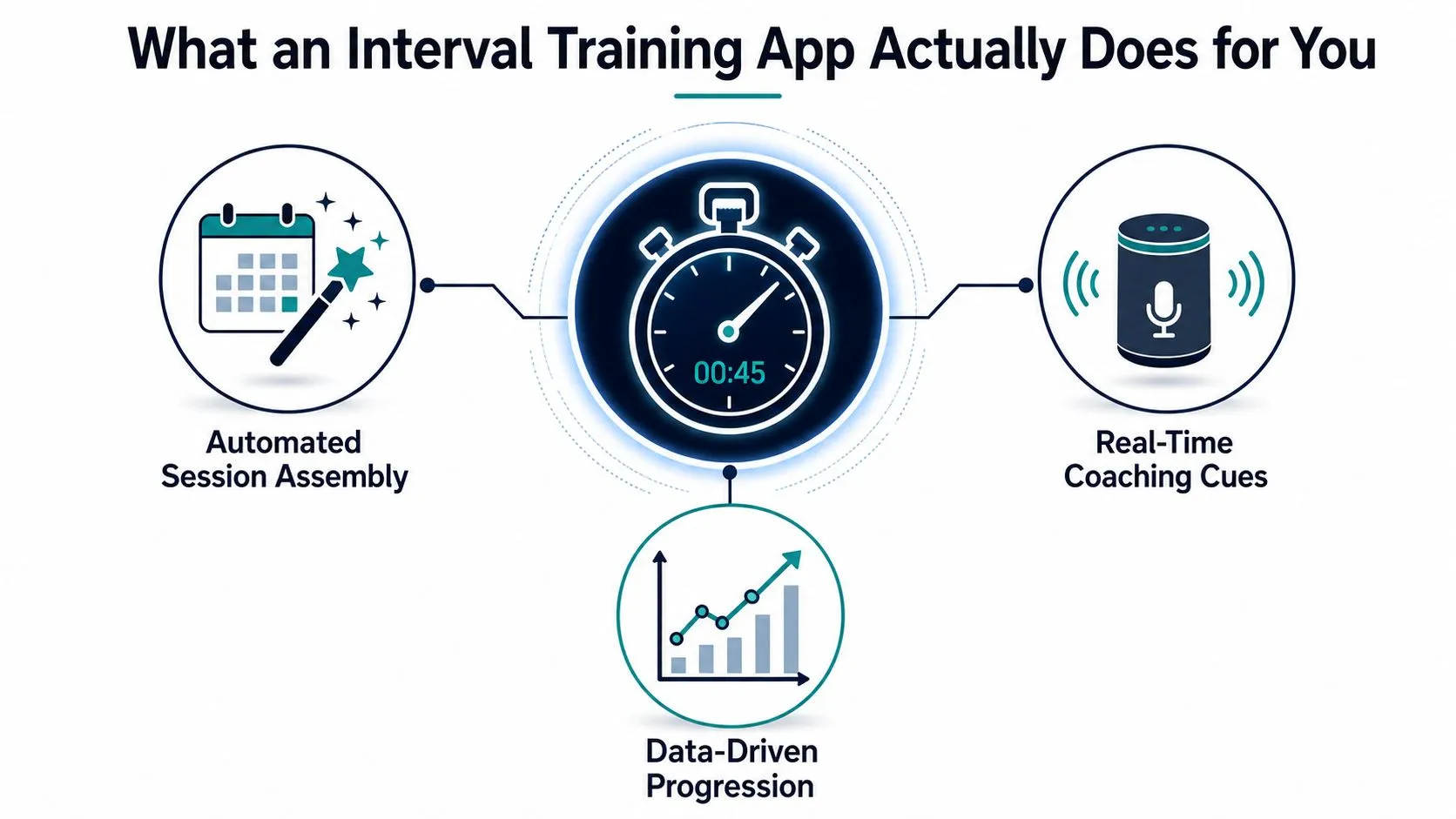
Three jobs, not one
The first job is parsing the workout. A proper app takes a threshold set, a Tabata pattern, or a coach’s free-form instructions and turns them into repeatable steps instead of forcing you to count in your head. The second job is delivering the session to a Garmin watch, Wahoo head unit, or similar device so you get cues at the right moment, not after you’ve already drifted off pace. The third job is reporting back, so the session is saved in a form you can review, edit, and compare later, not only marked finished.
That is why runners, cyclists, and triathletes care about more than a stopwatch. A stopwatch tracks time. A real interval app helps you execute work, recovery, and progression without mental clutter. Structured intervals matter because they give training consistency and make each repeat easy to compare against the last one Why structured intervals matter for training consistency. A representative Tabata pattern uses 20 seconds of work, 10 seconds of rest, and 8 rounds for a 4-minute workout App Store market example. That same logic scales into longer sessions because the core unit is a repeatable time-based sequence, not a whole plan.
Why structured intervals matter for training consistency
Practical rule: if an app cannot get your session onto the device you train with, it is not solving the main problem. It is a prettier timer.
Before you download anything, ask three questions. Can it parse your workout quickly? Can it push to your watch or head unit cleanly? Can it show the session back to you in a form that is easy to edit next time?
Essential Features Every Interval Training App Needs
A lot of apps promise “custom workouts” and then stumble the moment you try to build a real session. The standard is simple, and most products still miss it. An app should take structured input, support the hardware you already train with, and move the workout to your watch or bike computer without extra steps.
The required features
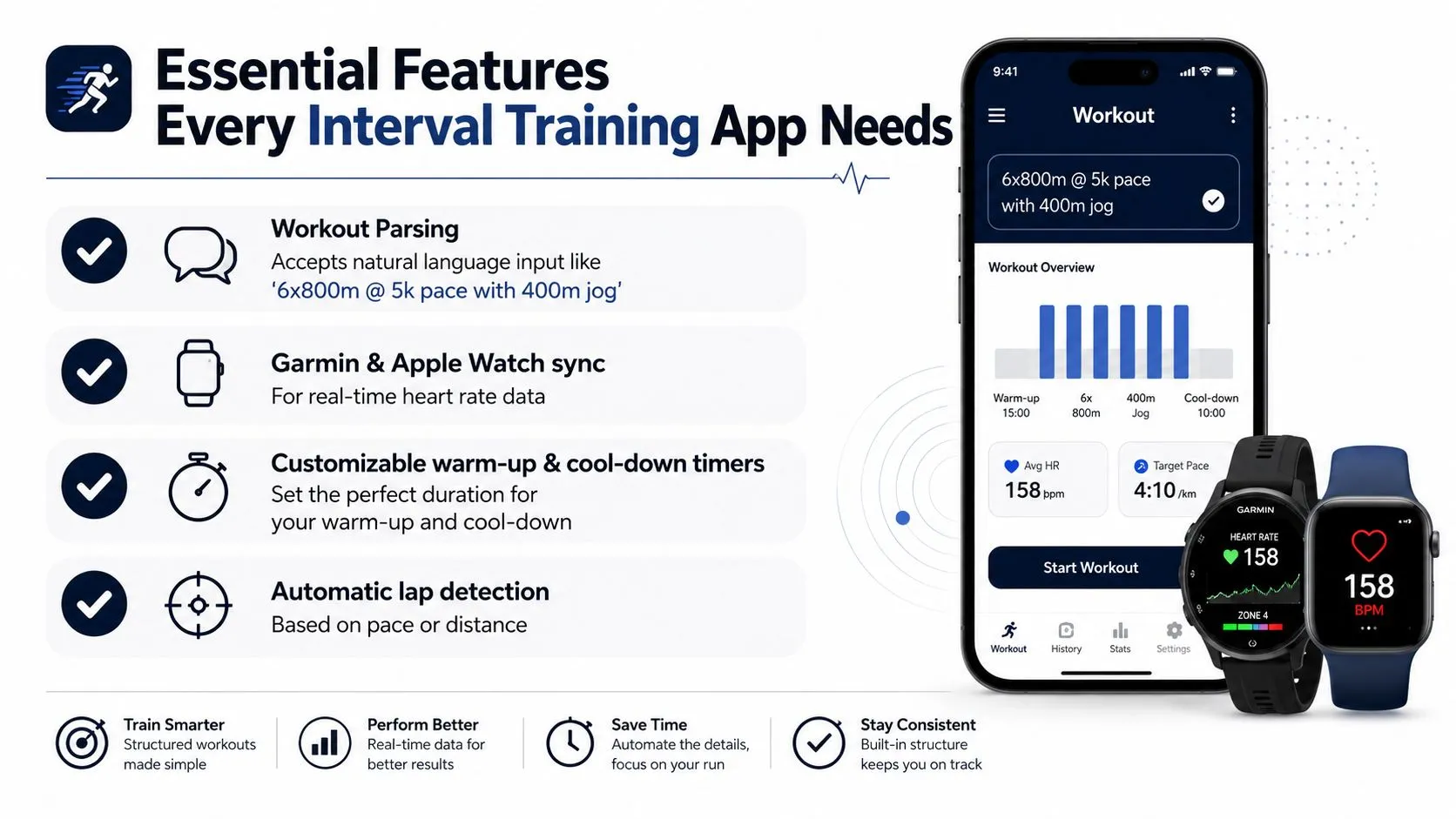
Workout parsing comes first. If you can type a session in plain language and the app turns it into steps, repeats, recoveries, and targets, you save time every week. That matters for any interval training app built for coaches and athletes who know the session they want, but do not want to drag blocks around before every run. For a closer look at how this works in practice, see running interval training app workflow tips.
Device compatibility comes next. Garmin Connect remains a useful reference because users can build custom intervals and push them directly to the watch for rep-by-rep guidance. For cyclists, Wahoo support matters just as much, because the value is seeing the session on the head unit before the ride starts, not exporting files by hand and hoping the format survives.
Multilingual support is the feature too many reviews skip, even though it changes the workflow for coaches and athletes who do not write in English. If an app only understands English phrasing, every workout turns into a translation exercise. That is awkward for club coaches, international camps, and mixed-locale teams.
Cross-device access also matters. A coach often writes on a desktop, an athlete checks the session on a phone, and the final workout lands on a watch. If the app traps creation on one screen, the whole process slows down.
Control depth is the other hard requirement. Good interval builders usually let you set short work intervals, short rest intervals, multiple rounds, and multiple sets with configurable breaks. That range shows what the market expects: a simple interface on the surface, with precision underneath. If an app cannot handle both, it is too flimsy for serious training.
Text-First Versus Drag-and-Drop Workout Builders
I’ve tested enough builders to say this bluntly. Text-first wins for speed. Drag-and-drop wins for visual comfort. They don’t solve the same problem, and pretending they do wastes time.
A real test case
Take a 4x4-minute threshold session with 3-minute active recoveries. In a text-first workflow, you type the session once, preview the parsed structure, and make a quick edit if the recovery came in wrong. The speed comes from not having to assemble the session block by block.
In a drag-and-drop builder, the visual layout helps if you’re mapping a complicated ladder or a session with multiple sport-specific stages. But it also introduces more points of failure. You can mis-order a step, mistype a duration, or spend extra time hunting through menus to change one interval length. That’s tolerable for a coach designing one polished session. It’s annoying for an athlete who writes workouts several times a week.
Here’s the clean decision rule. If you write workouts often, especially in a native language other than English, text-first is the better workflow. If you like seeing the whole session as separate colored blocks and you build complex stage-by-stage sets, drag-and-drop can still work. For hardware, the question is even simpler. If the workout has to end up on Garmin or Wahoo quickly, the less you touch the structure by hand, the fewer chances there are for a mismatch.
| Workflow Comparison at a Glance | Text-First Workflow | Drag-and-Drop Builder |
|---|---|---|
| Speed | Faster for repeat use and edits | Slower when building from scratch |
| Error risk | Lower once the parser understands the input | Higher when blocks are moved or mistyped |
| Revision flexibility | Easy to swap a target or recovery | More manual adjustment required |
| Best for | Coaches, frequent writers, multilingual users | Visual planners, complex staged sessions |
Why interval workout builders should feel simple on the front end
If you edit the same session twice a week, text input beats visual assembly almost every time.
Drag-and-drop still has one real advantage: it’s friendlier for people who think in shapes, not sentences. But for most endurance athletes, the workflow that gets the session to the device fastest is the one that gets used.
Quick Setup and a Sample Session From Start to Finish
Start with device permissions, because that is where most people lose patience. Pair the app with your Garmin watch or head unit first, then approve the prompts for Bluetooth and workout access. If those permissions are delayed, the app may parse the workout correctly but fail at the handoff, which is the exact moment you don’t want a surprise.
From plain language to a watch-ready workout
Write the session in normal language, not builder language. A solid example is a VO2-style workout with a warm-up, a series of hard intervals, recoveries between them, and a cool-down. The app should translate that into a structured preview with named steps, durations, and repeats. If the parsed structure doesn’t match your intent, fix the wording before you sync, don’t try to brute-force the watch afterward.
The preview screen should be plain and readable. You want to see the warm-up, the work interval, the recovery, the number of rounds, and the cool-down in one glance. Short-interval guidance is sensitive to timing, and evidence-based HIIT guidance still emphasizes a clear warm-up plus precise recovery structure HIIT protocol guidance.
Once it looks right, sync it. On the watch, the first step should show the warm-up with a clear label and countdown, then the device should move through each step with cues at the boundary. That’s the real test. If you have to remember what’s next, the app failed.
Quick fix rule: when the preview looks wrong, edit the text, not the device. The device should be the last stop, never the place where you repair structure.
A good session flow feels almost dull. You write the workout, review the structure, make one small correction if needed, and send it. The session should be sitting on the watch before you leave the house, not halfway assembled after you’re already at the track.
How Runners, Cyclists, and Triathletes Use These Apps
Different sports use the same app in different ways, and that is the test. Runners want repeatable sessions and pace control. Cyclists care about watch and head unit delivery. Triathletes need one plan that stays readable across disciplines without turning into a mess.
A cyclist building threshold repeats on a Wahoo head unit wants the workout on the device before the Tuesday group ride. Fancy design does not matter here. What matters is showing up with the session already loaded so every rep is visible without touching the phone. A clean sync path beats a polished interface every time.
Runners usually want a session saved as a template so it appears every Thursday without rewriting the same structure. A 5x1000m session fits that use case well, because the athlete can keep the pattern and only adjust the target or recovery when the plan changes. The Garmin Connect model is still a strong reference here, because structured workouts are built once and pushed to the watch for execution running-app guidance.
Triathletes have a different problem. Brick sessions need one shared structure that makes sense on the bike and then on the run, without splitting the workout into separate mental files. The app has to speak multiple device languages and sport contexts without getting confusing. This triathlon-specific guide is useful if you want to see how that works in practice.
The takeaway is simple. One app can serve a runner on a weekly track schedule, a cyclist with power-based repeats, and a triathlete moving from bike to run. The feature set only matters if it fits the rhythm of the athlete using it.
Why Multilingual Support Changes the Game
Most interval app reviews assume English is the default language of training. That’s lazy. Coaches write sessions in Spanish, French, Japanese, German, and dozens of other languages, and athletes think in the language they train in. If the app can’t parse that naturally, it’s creating a problem that shouldn’t exist.
Language is part of the workflow
Multilingual parsing solves more than translation. It handles mixed units, local phrasing, and the simple fact that a workout written once should be understood by athletes in multiple countries without retyping. Existing coverage is still heavily English-centric, and that leaves a gap for coaches who need one source session to work across teams, camps, and device ecosystems language-gap analysis.
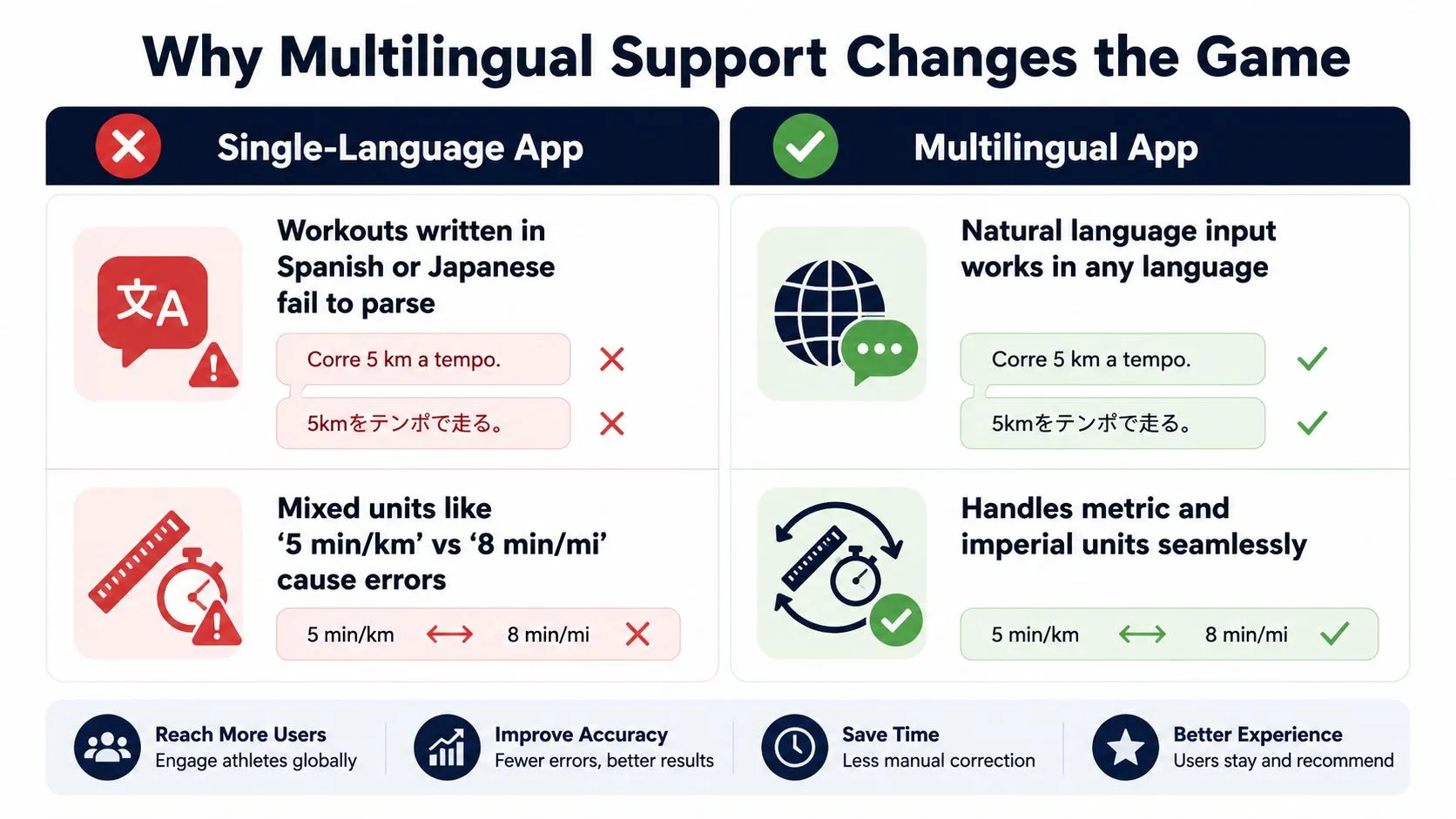
That matters because the workflow is already fragmented across Garmin, Apple Watch, Wahoo, and standalone timers. The best app reduces that fragmentation instead of making every coach act like a translator. When the builder understands the language and normalizes the structure, the workout becomes portable.
The practical takeaway is straightforward. Language is not a translation add-on. It’s a core workout feature. If an app only works cleanly in English, it’s not built for the coaching environment most endurance athletes live in.
Troubleshooting Common Issues and Pro Tips
The first week with any new interval app usually reveals the weak spots. The good news is that most problems are easy to diagnose if you know where to look. Sync trouble, parsing surprises, and watch-side mismatches usually come from the same place: unclear permissions, unclear wording, or a device that wasn’t fully connected before the session was sent.
Fast fixes for the issues you’ll hit
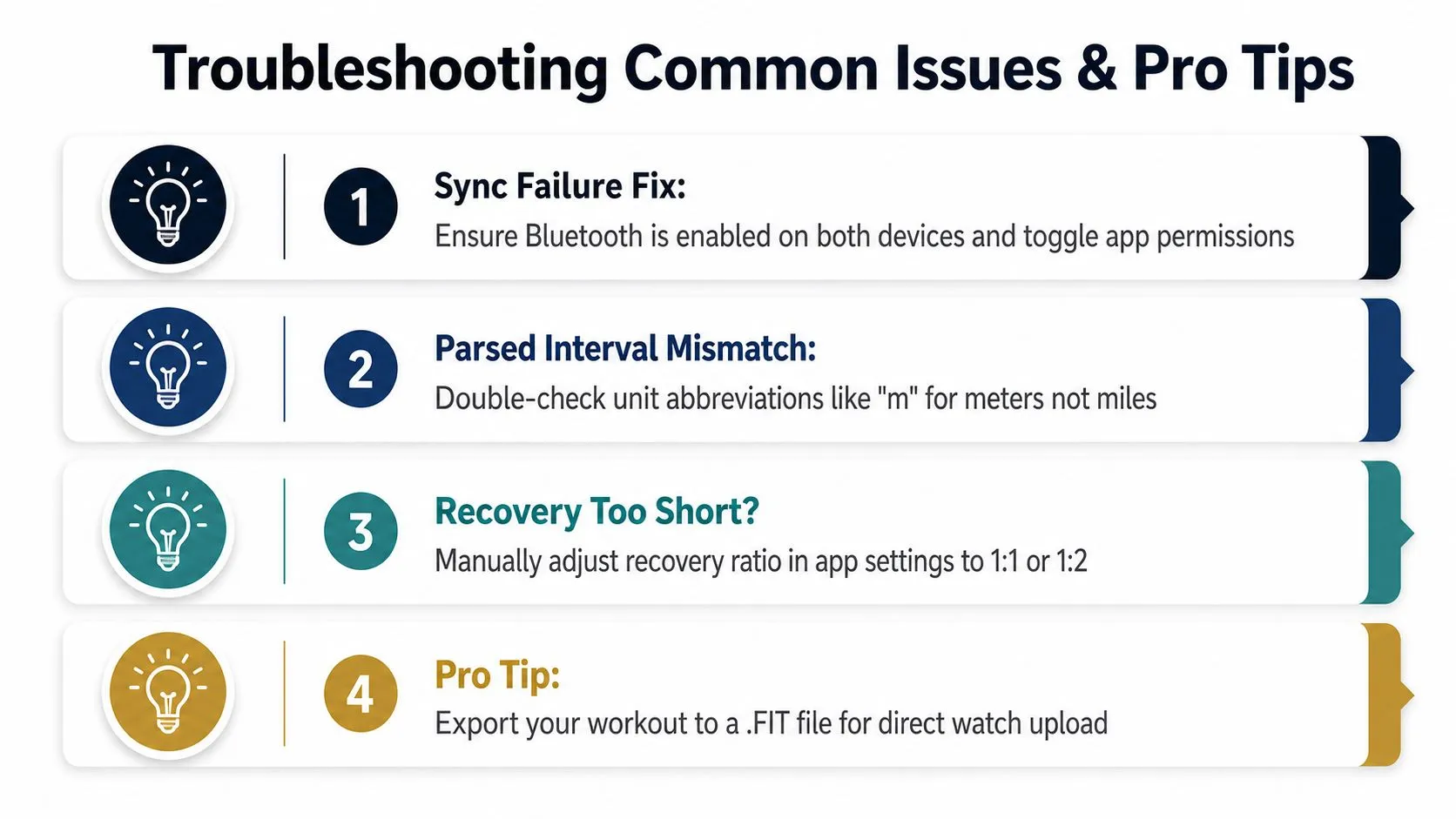
If the workout doesn’t appear on the watch, check Bluetooth and app permissions first. Then force a fresh sync instead of assuming the previous send went through. If the app can parse the session but the device doesn’t show it, the problem is usually the connection, not the workout itself.
If the parsed interval doesn’t match your intent, read the wording like a parser would. Abbreviations and unit choices matter, especially when you’re mixing meters, minutes, pace, or power targets. A clean text prompt is better than a clever one.
If the recovery feels too short, don’t fight the session on the watch. Adjust the recovery ratio in the app settings before syncing, because short-interval work is sensitive to the rest-to-work balance HIIT guidance on interval structure. For short bursts, the structure needs to be correct before execution, not corrected halfway through.
Save the workouts you repeat. Reuse the warm-up. Don’t rebuild what already works.
A few habits make the app more useful immediately. Save templates for your common sessions, reuse the same warm-up blocks, and layer pacing with power targets only when the device can display them clearly. If race week is coming, sync in advance so you’re not discovering a device issue twenty minutes before the start.
TextFit does the three jobs above. Type “4 x 4 min hard with 3 min easy” in any language, review the structured workout it builds, and it syncs to your Garmin or Wahoo or schedules on your Apple Watch. Try it at TextFit: free to start, no sign-up needed.