Running Interval Training App: From Text to Your Watch
You’ve got the workout. It’s sitting in a coach message, a Notes app entry, or a training log line that makes perfect sense in plain language. Then the programming task begins. You have to turn that sentence into something your watch can execute.
That gap is where a lot of interval sessions get slowed down. Not because the training is hard, but because the setup is clunky. A simple session like 8 x 400m with jog recovery can turn into a string of taps, menus, repeat blocks, target fields, and last-minute checks while you’re already standing at the track.
A good running interval training app should do more than sync to your watch. It should make building the workout feel as natural as writing it down.
Table of Contents
- The Gap Between Your Plan and Your GPS Watch
- Why Manual Workout Builders Slow You Down
- How to Write Workouts in Natural Language
- Converting Text into a Structured Session
- Syncing to Your Watch and Pre-Run Workflow
- Advanced Tips for Coaches and Multilingual Athletes
The Gap Between Your Plan and Your GPS Watch
The usual failure point happens a few minutes before the run. You read the workout once, understand it immediately, then open your watch app and realize you have to rebuild that same session step by step.
A coach writes, “2 sets of 4 x 200m fast, 200m float, 5 min easy between sets, then cool down.” That’s clear. But most apps don’t accept the sentence as written. They ask you to create warm-up blocks, repeat blocks, interval steps, recovery steps, set breaks, targets, and a cool-down, all inside a graphical editor.
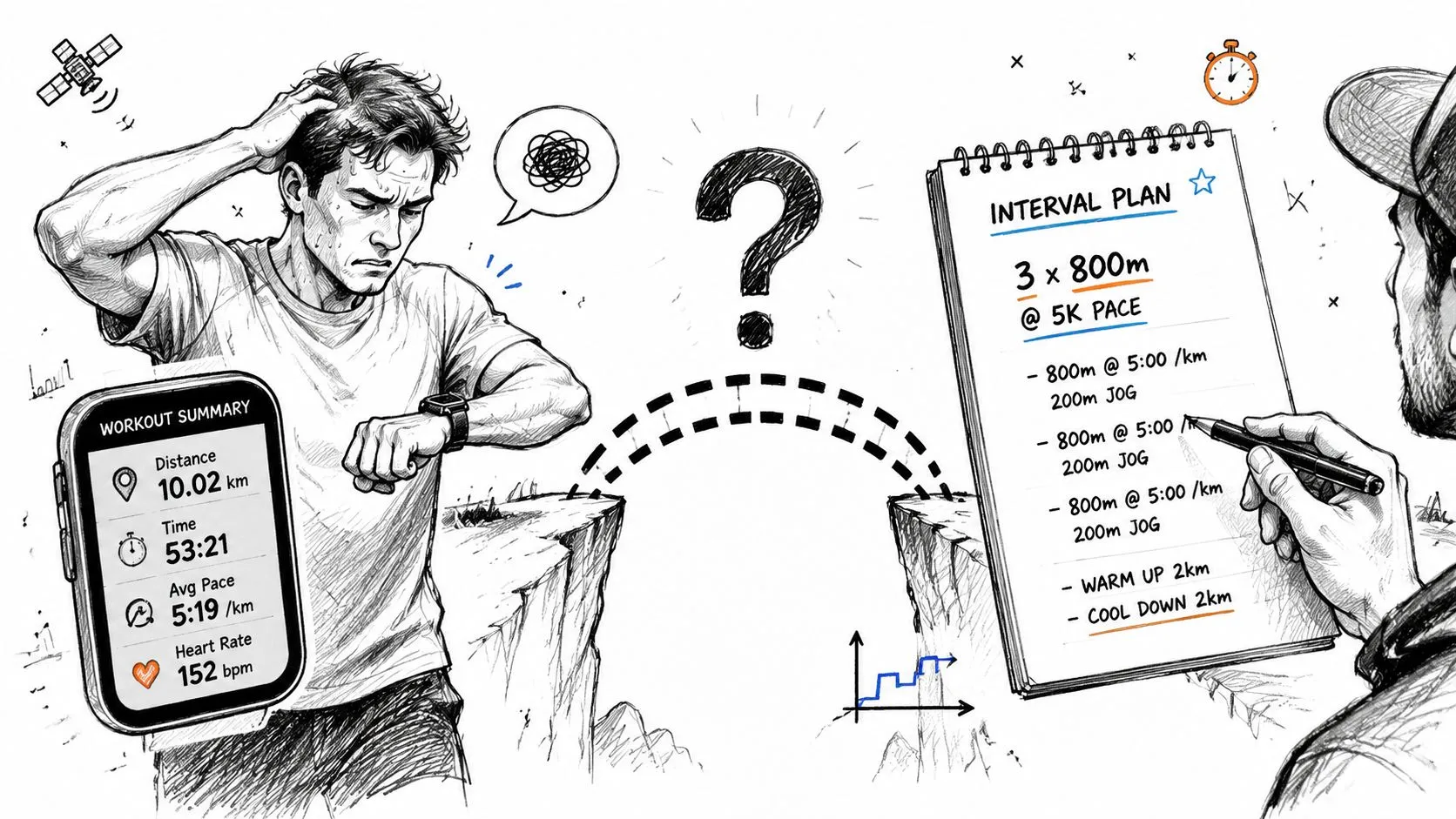
Independent reviews note that most guides skip the friction of translating natural-language coach notes or multilingual plans into device-ready intervals. They also note that tools like Garmin Connect and Runna still make you define work and recovery blocks inside graphical builders rather than accept free-form text, which leaves a real gap for athletes who want to copy coach instructions as written. See that gap described in this guide to interval training apps for runners by level.
The friction isn’t technical. It’s administrative
Most serious runners don’t struggle to understand the workout. They struggle to encode it. That’s a different problem.
You’re not asking the app to invent training. You’re asking it to take a human-readable instruction and convert it into a machine-readable structure. When that translation is manual, runners tend to do one of three things:
- Skip the programming step and run from memory.
- Simplify the workout so it’s easier to enter.
- Make avoidable mistakes in repeats, recovery, or targets.
Practical rule: If the builder takes longer to set up than the warm-up takes to run, the workflow is broken.
A text-first workflow closes that gap. The ideal process looks more like copying your plan into a field, checking the parsed structure, and sending it to the device. If you’ve ever had to rebuild a coach note by hand, a structured workout plan workflow feels closer to how training already works in practice.
Why this matters on actual training days
Interval quality depends on focus. Every extra setup step drains attention before the session starts.
That matters even more on days when the workout has nuance. Float recoveries. Mixed targets. Set-level rests. Pace changes by rep. Those details are where training intent lives, and those are exactly the details that become annoying to build manually on a phone.
Why Manual Workout Builders Slow You Down
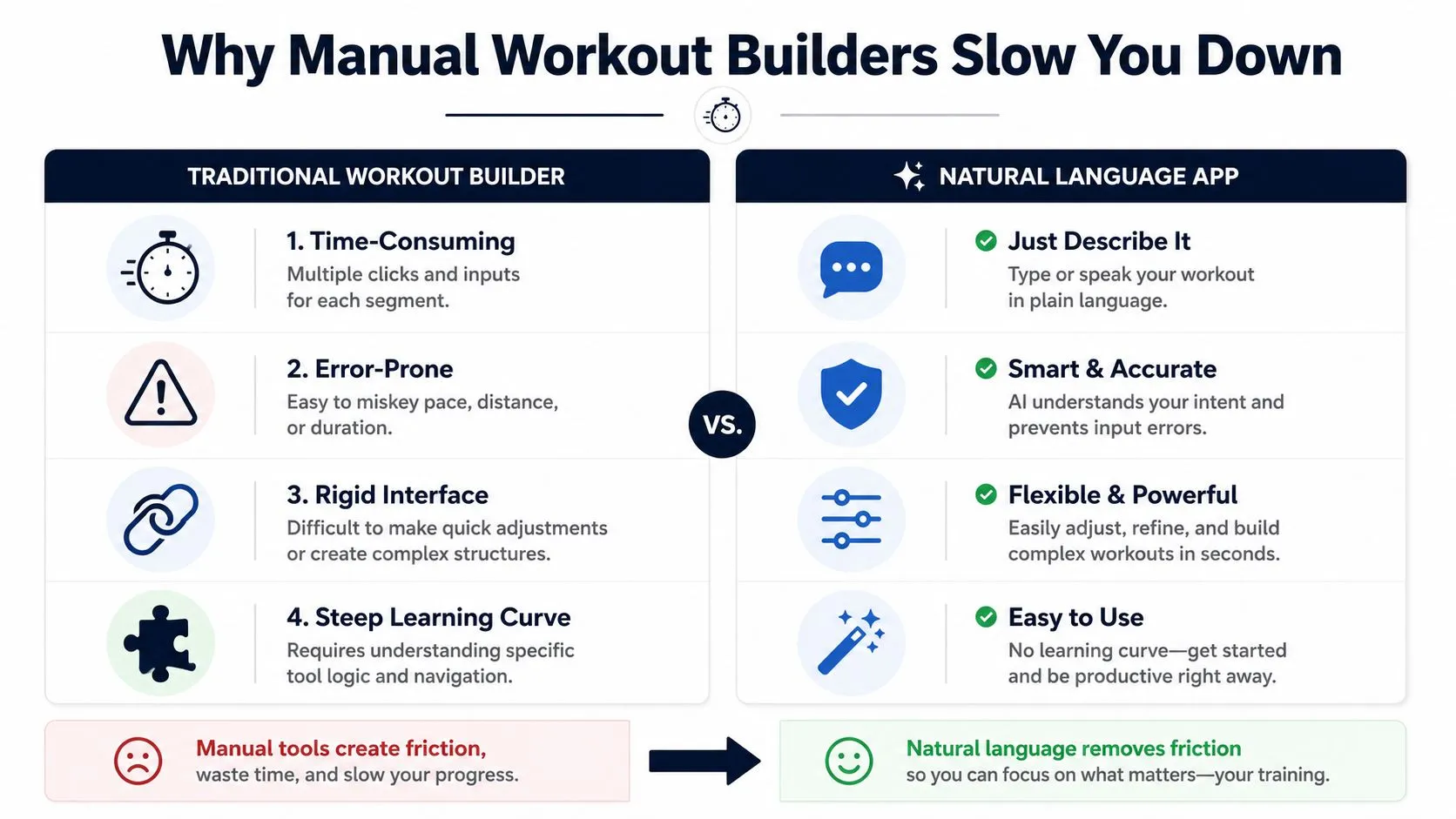
Manual builders solved one problem well. They made it possible to send structured sessions directly to the device. They did not solve the fastest way to create those sessions.
That distinction matters. The sync layer is strong. The creation layer is still awkward.
A 2026 review of interval training apps identifies Garmin Connect as the top pick for hardware-integrated interval training because it lets runners build custom workouts and push them directly to the watch for rep-by-rep guidance. That same review points out why direct sync matters. It removes fragmented device compatibility and last-minute friction when moving a plan to the watch. You can read that assessment in this 2026 running apps review focused on interval training.
Where the time goes
The drag in manual builders usually comes from small actions repeated over and over. One block isn’t a problem. Ten blocks with targets, repeats, and recovery rules are.
Here’s where runners lose time:
| Builder task | What makes it slow |
|---|---|
| Adding steps | Each work and recovery block needs separate input |
| Setting targets | Pace, heart rate, or duration fields have to be selected manually |
| Creating repeats | Nested sets are often harder than the workout itself |
| Editing late | One change can force several follow-up edits |
The issue isn’t that these interfaces are unusable. It’s that they force athletes to think like software operators instead of runners.
The hidden cost is error rate
The more tapping a session requires, the easier it is to get one part wrong. A missed repeat count changes the session. A wrong recovery duration changes the stimulus. A pace target entered into the wrong field changes how the watch guides you.
Manual builders are reliable once the workout is built. They’re much less efficient while the workout is being translated from notes into structure.
A running interval training app should act more like a parser than a canvas. The athlete already has the content. The app should understand it.
Rigid editors don’t handle real coaching language well
Coaches rarely think in app-builder blocks. They write in shorthand. They use set notation. They mix effort cues with pace cues. They often adjust a session in one sentence.
A graphical builder tends to resist that kind of language. It wants each part isolated and formalized. That’s fine for standardized sessions. It’s weaker for workouts that evolve during the week or arrive as plain text in a message thread.
A better workflow starts with text because that’s where the workout already lives.
How to Write Workouts in Natural Language
The best plain-text workouts are easy for a person to read first. Structure comes from clarity, not from sounding technical.
One useful benchmark comes from a controlled sprint interval training study. Runners completed six sessions over two weeks built around repeated 30-second all-out shuttle runs with 4-minute rest intervals, which shows how a scientifically proven workout can be expressed in a single clear line of text. The study is available in this sprint interval training paper on PubMed Central.
Start with the training intent
Write the workout the same way you’d explain it to an athlete standing next to you. Put the key structure first, then the target, then the recovery.
Good examples:
- 8 x 400m at 5K pace with 200m jog
- 6 x 3 min hard with 2 min easy
- 20 min warm up, 10 x 1 min uphill hard with jog down, 15 min cool down
- 5 x 5 min at threshold with 90 sec easy jog
That order works because it mirrors how athletes think during execution. First comes the rep. Then the effort. Then what happens before the next rep.
Use a simple pattern that stays readable
You don’t need perfect syntax. You need consistent meaning.
A practical template is:
- Warm-up
- Main set
- Recovery details
- Set breaks if needed
- Cool-down
Examples that stay clean:
- 15 min easy, 6 x 2 min at 10K pace with 1 min jog, 10 min easy
- 10 min warm up, 4 x 1K at threshold with 2 min easy, cool down
- 12 x 200m fast with 200m float
- 3 x 8 min steady at marathon pace with 3 min easy jog
If the workout uses a different target type, write it directly:
- 5 x 4 min in HR zone 4 with 2 min easy
- 6 x 3 min at run power target with 90 sec recovery
- 10 x 1 min fast by effort with 1 min walk
Coaching note: If a session has one important target and one flexible target, write the important one explicitly and leave the other as effort. That reduces confusion before sync.
Write complex sessions the same way you’d text them
This is where text pulls ahead of drag-and-drop builders. Real workouts often include sets, progression, and mixed recoveries.
Examples:
- 2 sets of 4 x 200m fast with 200m jog, 5 min easy between sets
- 1-2-3-2-1 min hard with equal recovery, then 4 x 30 sec fast with 60 sec easy
- 3 x 1600m at half marathon effort with 2 min jog, then 4 x 200m relaxed fast
- 10 min easy, drills, 6 x 20 sec strides, 4 min easy, 5 x 3 min at 10K effort with 90 sec float, cool down
The key is to write what you mean, not what the builder would force you to click.
A good parser should understand common training language such as:
- Repetitions like 6 x 800m
- Sets like 2 sets of 5 reps
- Recoveries by time, distance, or easy effort
- Targets by pace, heart rate, power, or effort
- Open segments such as warm up and cool down
Video helps if you want to see how this style looks in practice:
If you want your running interval training app to understand the workout quickly, keep the text natural but complete. The session doesn’t need to be formal. It needs to answer four questions: what, how hard, how long, and what happens next.
Converting Text into a Structured Session
Once the workout is written clearly, the app’s job is to identify the pieces and turn them into something the watch can execute without ambiguity.
That’s where a text-first system separates itself from a normal builder. Instead of drawing the workout from scratch, you review an already interpreted version.
The need for that kind of automation is easy to understand. In 2025, the global fitness app market generated $3.4 billion and grew 24.5% year over year, yet Runner’s World reporting summarized by Business of Apps indicates that precise interval recording remains a top-three requested feature, with athletes identifying the inability to “take and record splits” as the biggest need. That context appears in this fitness app market analysis.
What the parser should recognize
A useful converter should pick out the workout components athletes care about:
- Warm-up and cool-down when they’re written casually
- Work intervals with distance, time, or effort targets
- Recovery blocks that may use jog, walk, float, or rest language
- Repeat logic for reps inside sets
- Set-level recovery that differs from rep-level recovery
For example, this input:
15 min easy, 2 sets of 4 x 400m at 5K pace with 200m jog, 4 min easy between sets, 10 min cool down
Should become a clean structure with four distinct parts. Warm-up. Repeat block. Set recovery. Cool-down.
What to review before you sync
Even strong parsing still needs a fast human check. I look for three things.
First, confirm that every repeat landed in the right place. A common failure in any system is flattening a nested workout into one long block.
Second, check whether the target type matches the session intent. “Hard” may need to become pace, heart rate, or open effort depending on how you train.
Third, make sure recoveries are explicit enough. If the watch is going to guide the session, vague recovery text should be clarified before you send it.
A short review checklist helps:
| Review point | What to confirm |
|---|---|
| Repeats | Rep count and set count are correct |
| Targets | Pace, HR, power, or effort is assigned properly |
| Recovery | Time, distance, or open recovery matches the plan |
| Open steps | Warm-up and cool-down aren’t missing |
The fastest workflow isn’t “type and trust blindly.” It’s “type, inspect quickly, then sync.”
If you want a practical example of that process, a workout plan builder that starts from text shows the review layer that matters most. The big win isn’t removing judgment. It’s moving your judgment to the end, where it belongs.
Syncing to Your Watch and Pre-Run Workflow
Once the workout is structured, the final mile should be simple. Send it to the device, confirm it’s there, and run.
This is where direct sync matters most. You don’t want to deal with file exports when you’re already in the parking lot or jogging toward the start of the first rep. A good running interval training app should leave the session waiting on the watch or head unit before the warm-up begins.
Keep the final check short
The pre-run review should take less than a minute. If you need more than that, the workout still isn’t settled.
I use a short field check:
- Read the first work rep so I know the watch will cue the right opening target.
- Read one recovery block to make sure the recovery mode is correct.
- Check any set break because that’s where watch workouts often feel wrong if the structure is off.
- Confirm weather edits if I need to soften pace to effort or extend recovery.
A text-based workflow helps here because small edits stay small. If conditions change, you can adjust the session before sync without rebuilding the entire thing.
One recovery detail matters more than many runners realize. Expert analysis on interval design recommends a one-third active and two-thirds passive recovery template for longer intervals, such as 30 seconds light jogging plus 60 seconds walking, and notes that this kind of detail can be written in text and confirmed before syncing so the workout keeps its intended physiological effect. That guidance appears in this interval training design analysis on PubMed Central.
What the watch should do during the session
The device should remove decisions, not add them.
During the run, the best setup gives you:
- A clear start cue for each rep
- An obvious end cue so you’re not staring at elapsed time
- Target guidance that matches the workout type
- Recovery prompts that tell you when to jog, walk, or start again
If you find yourself doing mental math during intervals, the workout isn’t structured well enough on the device.
That’s especially true when the session includes nonstandard recoveries or mixed intensity. A watch handles those cleanly only when the session structure is explicit before sync.
For athletes training on Apple devices, this Apple Watch interval workflow guide is useful because it highlights the same principle. Get the structure right before the session starts, and the run itself becomes much quieter mentally.
Advanced Tips for Coaches and Multilingual Athletes
The text-first workflow gets more valuable as training gets more distributed. One athlete can work around a clunky builder. A coach with a roster can’t do that efficiently for long.
Coaches need repeatable language
The best coaching systems rely on reusable wording. When a coach writes sessions in a consistent plain-text style, the structure becomes easier to review, easier to modify, and easier to distribute.
That matters for two reasons.
First, coaches can preserve intent without rewriting the same workout in builder format over and over. Second, athletes receive something that still reads like coaching language, not software output.
Useful habits for coaches:
- Standardize the order so workouts always read warm-up, main set, recoveries, cool-down.
- Keep shorthand consistent across the squad. If “float” means controlled jog, use it the same way every time.
- Write adjustable targets when athlete ability differs. Pace for one athlete may become effort or heart rate for another.
- Review edge cases manually when a workout has unusual progression or optional branches.
Multilingual input is a real training advantage
Many athletes don’t think about training in English. They think in the language they use with their coach, club, or training partners.
That matters more than most apps admit. If an athlete has to translate the session before entering it, friction goes up and precision goes down. Training language is full of nuance. Easy, steady, float, hard-but-controlled, relaxed-fast. Those terms don’t always map neatly when you’re rushing.
A text-based system that accepts natural language across languages removes one of the most common workflow breaks in international teams. It lets the athlete write the session as they naturally understand it, then confirm the structured output before sending it to the device.
A multilingual workflow does more than feel nicer. It preserves training intent at the point where mistakes usually happen.
This also helps triathletes and mixed-discipline athletes. The same text-first habit can describe run reps, bike intervals, and brick sessions without forcing each session through a separate visual logic.
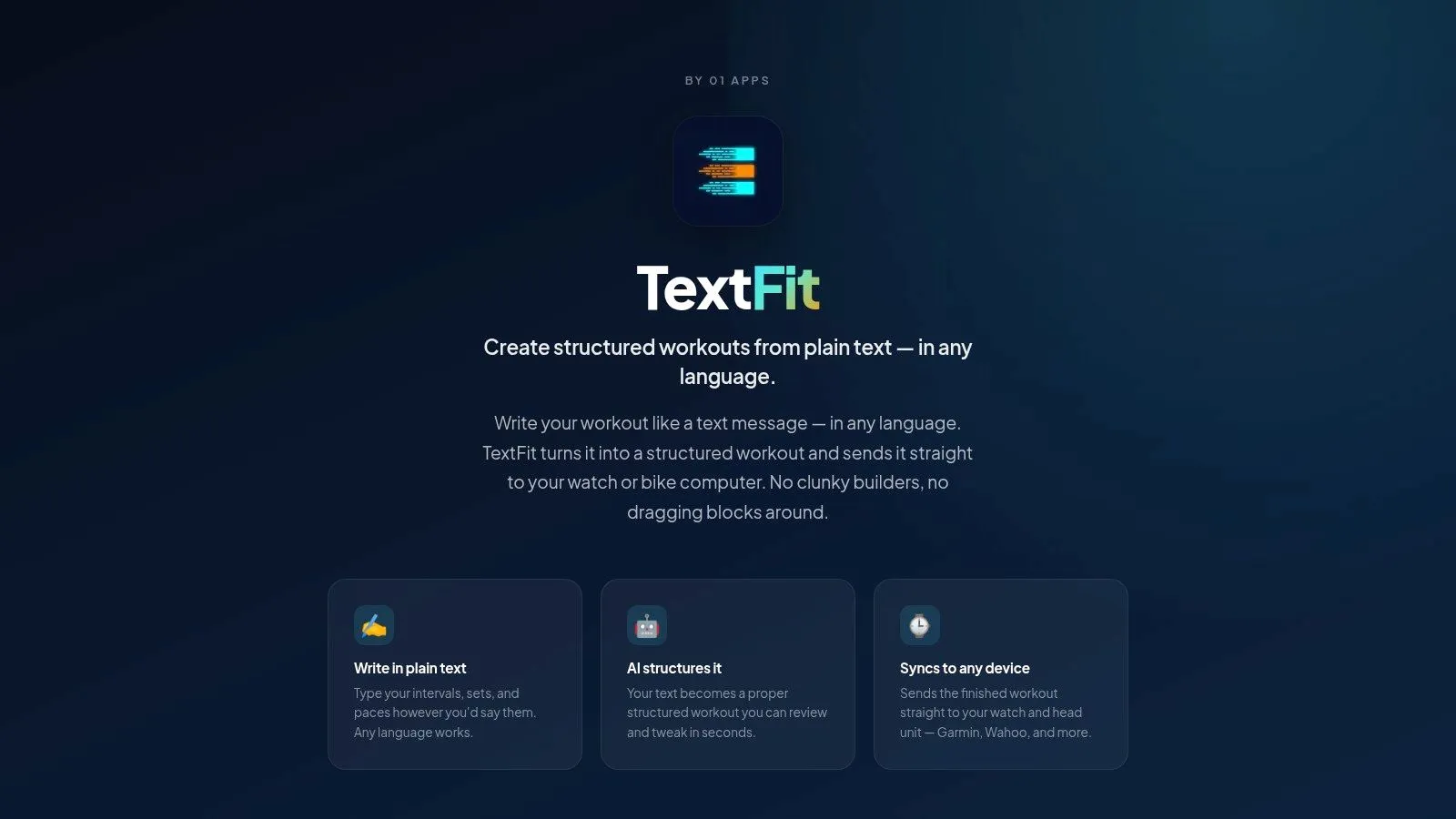
If you want a simpler way to turn coach notes into device-ready intervals, TextFit is built for exactly that. Type the session the way you’d text it, in any language: “2 sets of 4 x 200m fast with 200m jog, 5 min easy between sets.” AI turns it into a structured workout you review and tweak, then it syncs to Garmin or Wahoo through intervals.icu, or schedules straight onto Apple Watch. It’s free to start and needs no sign-up.