Workout Planner Free: Sync Text to Your Watch Instantly

You’ve probably done this before. The session is written somewhere, maybe in Notes, maybe in a spreadsheet, maybe in a message from your coach. You’re standing by the door, shoes on, watch charged, and now you have to rebuild the workout step by step on a tiny screen or inside a clunky app builder.
That’s the part most “free” planning tools still get wrong. Writing the workout isn’t the hard part. The hard part is the last mile. Getting that text onto a Garmin or Wahoo cleanly, without exporting files, fixing formatting, or retyping intervals five minutes before the warm-up starts.
A lot of athletes want a workout planner free of subscriptions, friction, and bloated interfaces. That demand isn’t niche. The global fitness app market reached $3.4 billion in 2025, with 540 million active users, and 51% of exercisers prefer training at home, according to Business of Apps fitness app market data. If you train at home, on the track, or from the garage, wasted setup time hits harder because there’s no coach standing there to sort it out for you.
Table of Contents
- Beyond the Spreadsheet: A Modern Approach to Free Workout Planning
- Build Your Personal Workout Library with Reusable Templates
- Translate Coach-Speak into Structured Workout Text
- The Last Mile Problem: Getting Free Plans onto Your Device
- Automate Your Training with AI-Powered Text Conversion
- Your New Workflow for Effortless Workout Creation
Beyond the Spreadsheet: A Modern Approach to Free Workout Planning
The old workflow usually looks harmless at first. You jot down “6 x 3 min hard, 2 min easy” in a spreadsheet. Or you duplicate a template from last month. Or you save a PDF from some free planner and tell yourself you’ll sort it out later.
Later is the problem.
When it’s time to train, those systems stop being planning tools and turn into translation work. You’re no longer thinking about pacing, power, or execution. You’re clicking boxes, choosing step types, and fixing little formatting issues that shouldn’t exist in the first place.
The friction shows up right before the workout
The worst moment to build a structured session is right before you start. That’s when athletes make mistakes. They skip recoveries, shorten the warm-up, or run the session from memory because entering it properly feels like a chore.
Free works best when it removes decisions, not when it adds another layer of admin.
That’s why a text-first workflow works better for endurance training. Instead of building with blocks, you write the workout the way you already think about it. Warm up 15 minutes. Main set 5 x 5 minutes at threshold with 2 minutes easy. Cool down 10 minutes. Done.
Think like a coach, not like a software operator
Good planning starts with language. Coaches already prescribe sessions in short, repeatable patterns. Athletes already understand them in that form. A workout planner free of drag-and-drop complexity should preserve that natural format instead of forcing everything through a visual builder.
Here’s what tends to fail:
- Static PDFs: Fine for reading. Bad for execution on a watch or head unit.
- Spreadsheets: Great for archives. Awful for last-minute use on the move.
- Graphical builders: Usable, but slow when you’re making small edits or building repeat sessions.
What works better is a lightweight system where text is the source of truth, and the calendar is only the container around it. If you plan weekly blocks, a simple workout planner calendar workflow is enough to organize the sessions without turning planning into office work.
A better default
The modern approach isn’t fancy. It’s faster.
Write sessions in plain text. Save your best formats. Reuse what works. Then use a toolchain that doesn’t make you rebuild your own plan every time you want it on a device. That’s the difference between a free planner you keep using and one that slowly turns into another abandoned folder.
Build Your Personal Workout Library with Reusable Templates
Most athletes don’t need more workout ideas. They need a cleaner system for reusing the good ones.
If your training has any structure at all, you’re already repeating session types. Tempo runs. Long endurance rides. VO2 max intervals. Recovery spins. Strength circuits. The smartest version of a workout planner free setup is a personal library of these repeatable sessions in a notes app you already use.
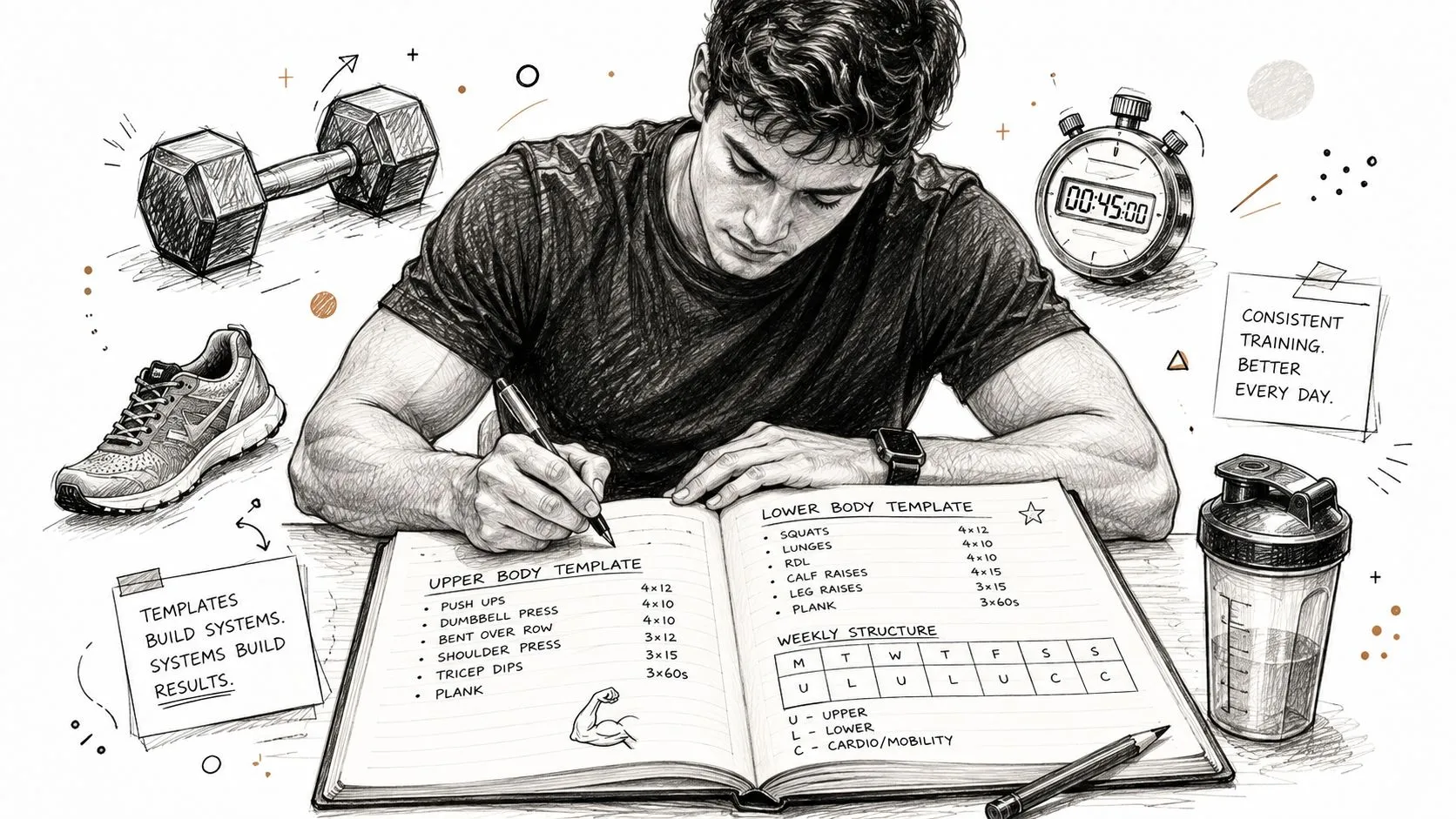
Start with session families
Don’t organize by day first. Organize by purpose.
A useful library usually starts with a small set of categories:
- Endurance sessions: Long steady work, easy aerobic sessions, recovery work.
- Quality sessions: Threshold, VO2 max, hill reps, race-pace intervals.
- Strength sessions: Full body, lower body emphasis, core and mobility.
- Fallback sessions: Short versions for busy days, travel workouts, indoor trainer options.
Most weekly programming is a variation on a few core session families. Once you see that, planning gets easier.
Write templates in plain language
Each template should be simple enough to copy and tweak in seconds. Keep the wording consistent. Include only the details you need on the day.
A running template might look like this:
| Session type | Template text |
|---|---|
| Tempo run | Warm up 15min easy, 20min at tempo, 10min easy cool down |
| Track session | Warm up 15min, drills, 6x800m at 5k pace, 400m jog, cool down 10min |
| Easy run | 45min easy, keep relaxed, add 4 strides if legs feel good |
A cycling template might look like this:
| Session type | Template text |
|---|---|
| Threshold | 15min warm up, 4x10min at threshold, 5min easy between, 10min cool down |
| VO2 max | 20min warm up, 5x3min hard, 3min easy, 15min cool down |
| Endurance ride | 2hr steady aerobic, keep cadence smooth, no surges |
Keep the library tight
A common mistake is building a huge bank of workouts you never revisit. Keep your library lean and proven.
Practical rule: Save sessions you’d happily repeat. Delete the ones that looked clever but were annoying to execute.
Use a naming system that makes retrieval obvious:
- Sport first such as Run, Bike, Strength
- Purpose second such as Tempo, Endurance, Mobility
- Duration or structure last such as 45min or 5x5min
That gives you filenames like:
- Run Tempo 20min
- Bike VO2 5x3min
- Strength Full Body 30min
Make revision part of training
Your library should evolve with your fitness. If a workout was too easy, rewrite it after the session. If the rest interval felt too short, fix the template. If a warm-up sequence consistently works, bake it in.
That’s the key benefit of a personal system. You’re not pulling random sessions from the internet every week. You’re building your own playbook, and it gets sharper the more you use it.
Translate Coach-Speak into Structured Workout Text
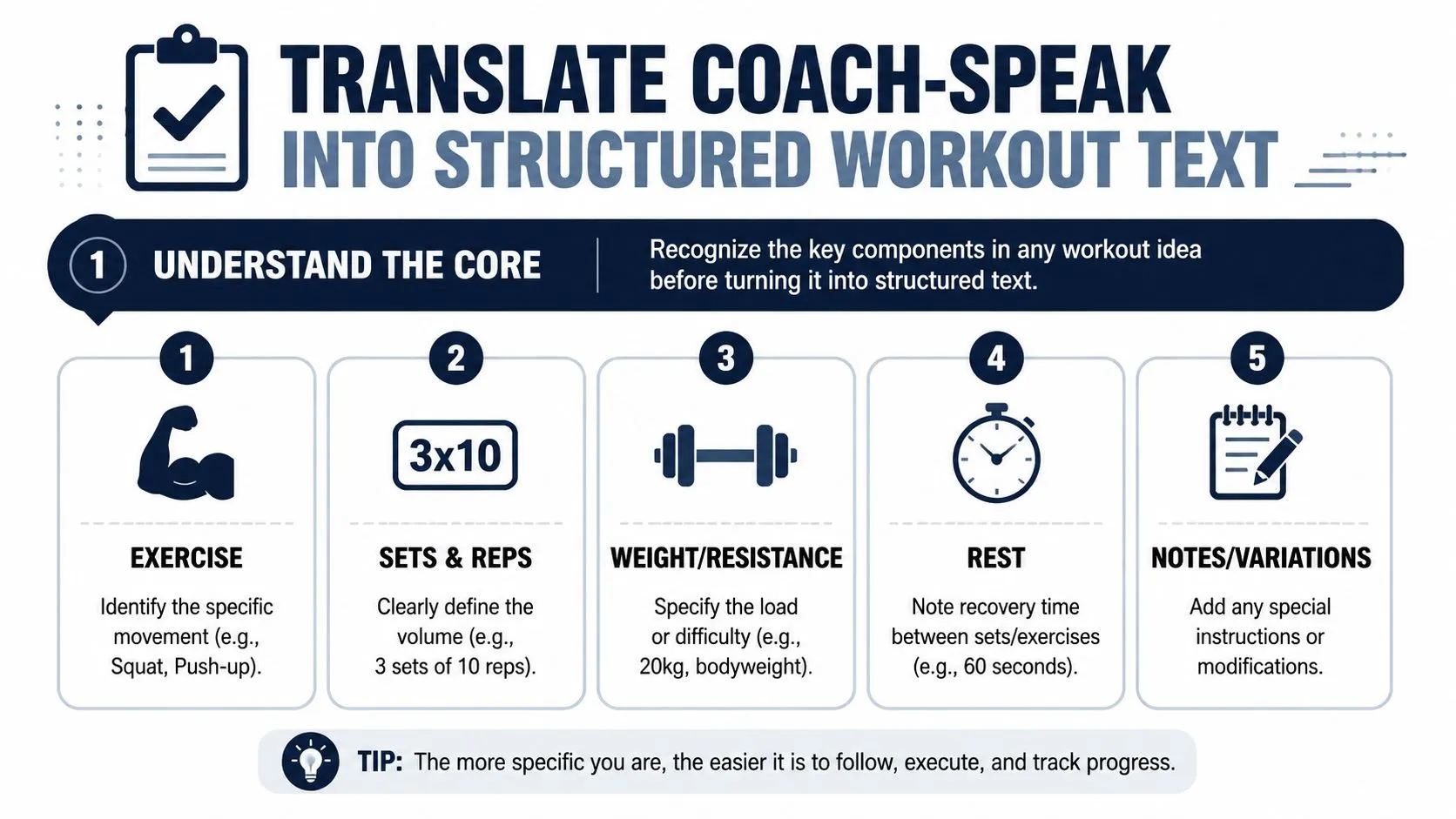
A good workout description should be readable by a human and clear enough to turn into a structured session without guesswork. That’s where many free tools stumble. They can display a workout, but they can’t reliably interpret the way coaches and athletes naturally write one.
Expert analysis has found that platforms with a clear step-by-step workflow can reduce administrative training time by 40% to 60% compared with manual graphical builders, because typing a short description is faster than dragging blocks around in an editor, as noted in this expert-tested walkthrough of workout planning workflows.
The five parts that matter
Structured workouts get easier to write once you split them into five components.
- Warm-up: Time or distance, plus any drills or ramps.
- Main set: The working intervals, repeats, and targets.
- Recovery: What happens between work reps.
- Cool-down: The exit ramp that stops you from finishing abruptly.
- Notes: Cadence cues, terrain notes, effort caps, or optional extras.
If one of those is vague, the whole workout gets harder to execute.
Write for clarity, not elegance
You don’t need polished prose. You need clean instructions.
These examples work well because they answer the key questions immediately.
Cycling with power
- Warm up 15min easy, then 5x3min at 120% FTP, 3min easy between, cool down 10min
- 20min progressive warm up, 3x12min sweet spot, 4min recovery, 15min easy
Running with pace
- Warm up 15min easy, 4x800m at 5k pace, 400m jog recovery, cool down 10min
- 10min easy, 6x2min at 10k effort, 90sec easy jog, 10min easy
General fitness with heart rate or effort
- 10min easy cardio, 4 rounds of 3min Zone 4 and 2min Zone 2, 5min cool down
- 5min warm up, 6 rounds of 45sec hard and 75sec easy, finish with 10min mobility
Use a consistent order
Ambiguity usually comes from scrambled phrasing. Keep the order stable:
- Action
- Duration or distance
- Target
- Recovery
- Repeats
For example, “4x5min at threshold, 2min easy” is better than a long paragraph describing the same idea. The first version is easy to scan, easy to save, and easy to convert.
If you have to reread your own workout twice, the device probably will too.
Common translation mistakes
Here are the errors that create the most friction later:
| Problem | Weak text | Better text |
|---|---|---|
| Missing target | 6x3min hard | 6x3min at 5k pace, 2min easy |
| Missing recovery | 4x8min tempo | 4x8min tempo, 2min easy between |
| Mixed units with no context | 5 hard, 3 easy x 4 | 4x5min hard, 3min easy |
| Too many notes inside the set | 3x10min, maybe a bit stronger on the last one if feeling good | 3x10min at tempo, final rep slightly stronger if controlled |
Make your text machine-ready without making it ugly
The sweet spot is short, plain, and structured. You don’t need code syntax. You need enough consistency that the workout can be interpreted the same way every time.
A workable template is:
Warm up + main set + recovery + cool down
That pattern handles most endurance sessions. It also works well for gym sessions when you swap intervals for sets and reps:
- Warm up 5min, squat 3x5, rest 2min, Romanian deadlift 3x8, rest 90sec, push-up 3x12, cool down mobility
A workout planner free of visual clutter becomes much more useful once your notes follow a repeatable pattern like this.
The Last Mile Problem: Getting Free Plans onto Your Device
Writing the workout is no longer the bottleneck. Moving it onto the device is.
That’s the gap most athletes run into with “free” tools. They can create the session in a note, a template, a spreadsheet, or a PDF. But when they want the workout on a Garmin watch or Wahoo head unit, the process falls apart. They either rebuild it manually in another platform or wrestle with exports and file transfers.
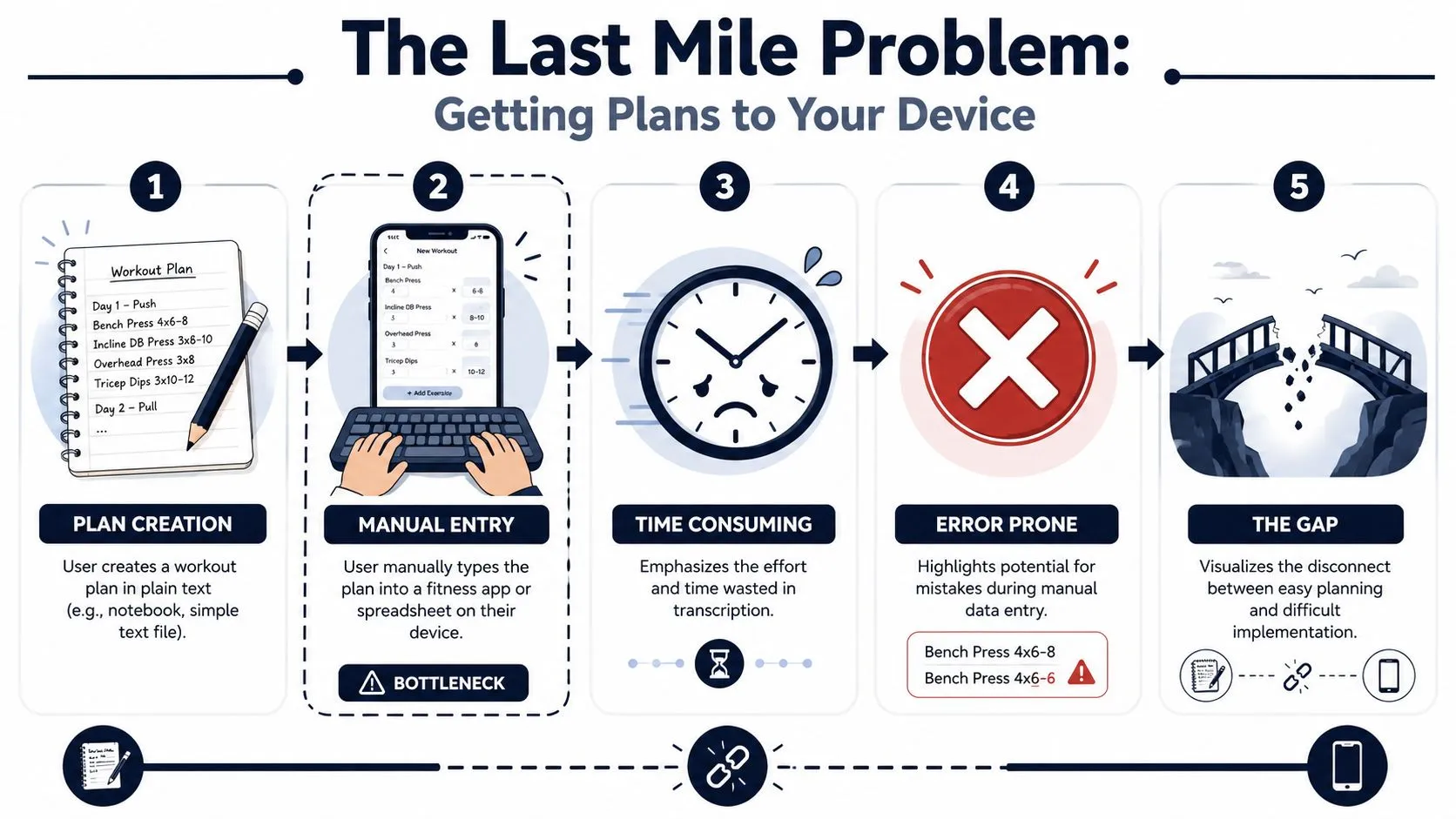
Why free planning tools break at the point of use
The cheap or free part is usually the front end. Notes are free. Spreadsheets are free. Templates are free. But execution still depends on a second step that costs time and attention.
That second step is where athletes lose momentum. According to LoadMuscle’s review of free workout planner friction, 68% of endurance athletes abandon workout tools that require manual file transfer. That tracks with what many coaches and self-coached athletes see in practice. If the workout isn’t easy to push to the device, people stop using the system.
The usual workarounds
None of these are ideal, but they’re common:
- Manual rebuild inside an app: Accurate if you’re patient. Slow if you train often.
- PDF or image reference: Fine for simple sessions. Bad for structured intervals on the move.
- Spreadsheet transcription: Useful for archiving. Error-prone during setup.
- File export and transfer: Better than typing from scratch, but still technical and easy to postpone.
A lot of athletes end up using a hybrid mess. The workout lives in one place, the final version lives somewhere else, and the watch gets whatever there was time to enter.
Why this matters more than people admit
This isn’t a convenience issue. It changes compliance.
When setup is annoying, athletes simplify sessions they shouldn’t simplify. They turn a structured interval workout into “run by feel.” They skip precise recoveries. They abandon progression because updating the builder is too much hassle.
The plan only counts if it reaches the device you train with.
If you’ve built your own system and you’re tired of duplicating work, that frustration usually points to the same missing piece. You don’t need a better notes app. You need a direct bridge from written workout to executable workout. That’s why many athletes who start with spreadsheets eventually look for a more purpose-built workout plan builder that closes the gap instead of widening it.
Automate Your Training with AI-Powered Text Conversion
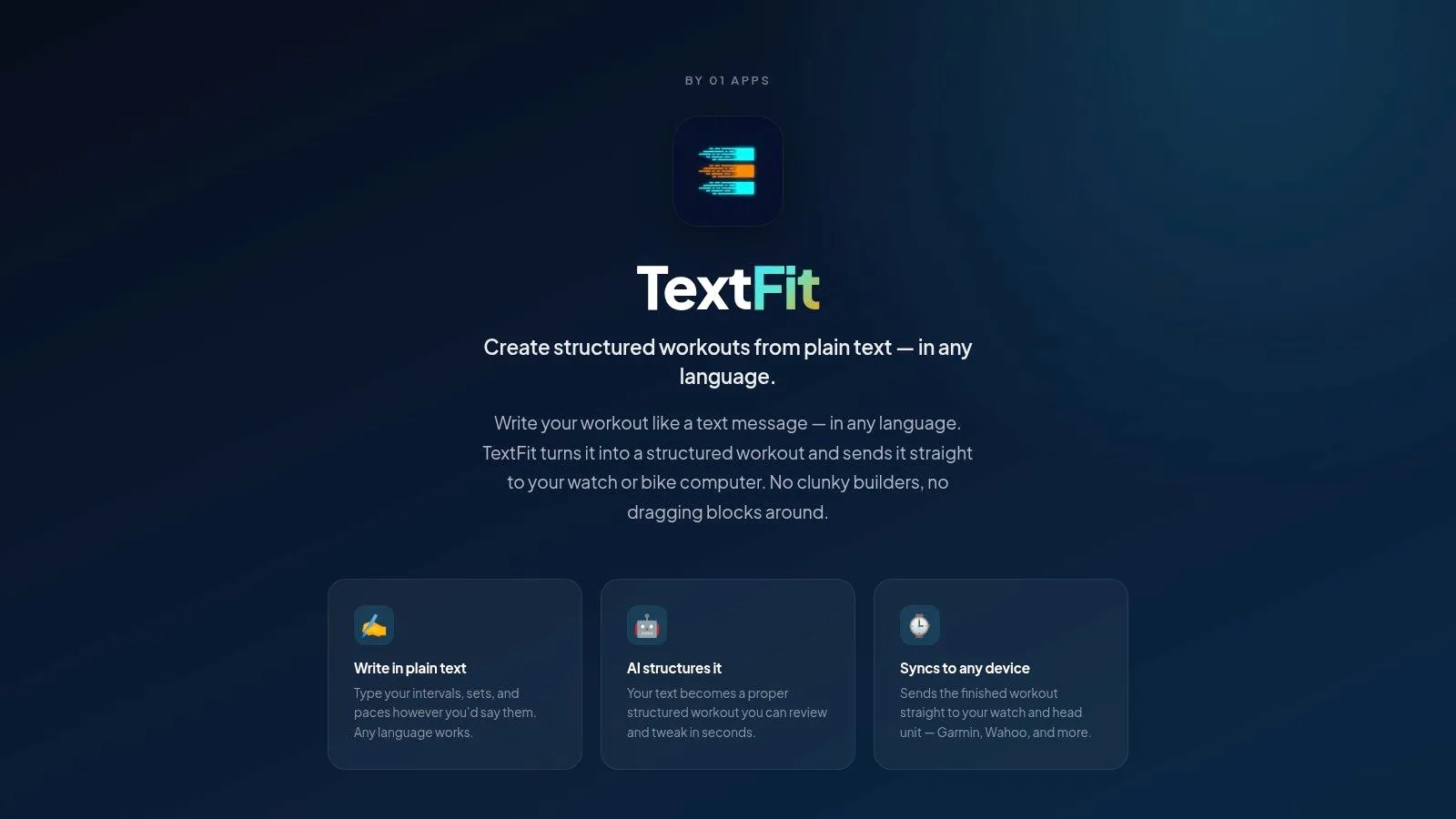
The cleanest fix for the last-mile problem is simple in principle. Write the workout once in plain language, let software turn it into a structured session, review it, then sync it to the device you train with.
That workflow matters because ambiguity kills speed. Leading apps see up to 85% user adherence when they remove ambiguity by structuring intervals with explicit targets and syncing centrally to devices like Garmin and Wahoo, according to Garage Gym Reviews coverage of workout app adherence and structured planning.
What this workflow does better
A text-first system powered by AI removes the duplicate work that usually happens between planning and execution.
You type something like:
- Warm up 10min, 6x5min at Zone 4 with 2min easy, cool down 10min
- 15min easy, 4x800m at 5k pace with 400m jog, 10min easy
- 5min warm up, squat 3x5, 2min rest, row 3x10, 90sec rest, plank 3x45sec
Then the software parses the steps, identifies repeats, normalizes units, and produces a structured workout that can be reviewed before syncing. That’s a much better use of software than making humans drag rectangles around a screen.
Why multilingual input matters
A hidden problem with many free planners is that they work best only if the user writes in English and uses the platform’s preferred shorthand. That’s fine until a coach writes in Spanish, a rider thinks in Portuguese, or a club shares workouts across languages.
When AI parsing supports natural language and normalizes units, that friction drops. The athlete doesn’t need to rewrite the session in awkward English to make the software understand it. That’s especially useful in endurance communities where coaches, athletes, and devices don’t all live in the same ecosystem.
A good planner should adapt to the athlete’s language, not force the athlete to adapt to the planner.
What to look for in practice
Not every AI workflow is useful. Some generate attractive text but still leave you to clean it up manually. The practical standard is stricter.
Look for these capabilities:
| Capability | Why it matters |
|---|---|
| Plain-language input | Faster than block editing |
| Clear interval parsing | Prevents vague or broken workout steps |
| Editable preview | Lets you catch mistakes before syncing |
| Device delivery | Makes the plan usable on the day |
| Cross-sport support | Useful if you run, ride, and do strength work |
If you want to see how this kind of workflow is evolving, this AI workout generator free guide shows the broader shift toward plain-text creation instead of manual builders.
A short demo helps make the difference obvious:
Once you’ve used a system that converts written workouts into device-ready sessions, it’s hard to go back. The old builder-heavy approach starts to feel like typing an email by arranging magnets on a fridge.
Your New Workflow for Effortless Workout Creation
A solid workout planner free setup doesn’t need more complexity. It needs fewer handoffs.
Keep your session ideas in plain text. Build a small library of repeatable templates. Write workouts in a consistent format that’s easy to scan and easy to interpret. Then use a workflow that can turn that text into a structured session without making you rebuild it on training day.
That changes the feel of planning. You stop treating workout creation like admin and start treating it like coaching. The note becomes the workout. The workout becomes the thing on your watch. That’s how it should work.
For endurance athletes, that last step matters most. If a session can’t reach the device cleanly, it stays theoretical. If it lands on the watch ready to execute, you’re much more likely to train as intended.
If you want that workflow today, try TextFit. Type the workout the way you’d write it in your notes, in any language (“Warm up 15min, 5x5min at threshold, 2min easy, cool down 10min”), review the structured session it builds, and send it to your Garmin, Wahoo, or Apple Watch. It’s free to start and needs no sign-up.