Running Training Pace: From Race Split to Watch Zones

You’ve got the race file open, the watch is synced, and the pace chart on your screen still doesn’t feel usable. Your last 10K looked smooth on paper, but every generic table tells you to run easier than you think you should, or faster than you can hold without fading. That gap between a real split and a workable workout is where most runners get stuck.
The fix is to stop treating running training pace as a single number and start using it as a workflow. First, confirm the baseline from a race or field test. Then translate that baseline into zones, turn the zones into structured sessions, and send those sessions to a GPS watch in a format that’s readable on the run. Done well, that approach gives you cleaner workouts, less guesswork, and a training rhythm that’s much easier to repeat.
Table of Contents
- Introduction to Individual Pace Training
- Understanding Key Pace Concepts and Metrics
- Estimating Baseline Pace from Races and Field Tests
- Assigning Personalized Pace Zones
- Crafting Structured Interval Workouts from Pace Zones
- Sending Workouts to GPS Watches and Adapting Them
- Tips and Troubleshooting for Pace Accuracy
- Conclusion and Next Steps
Introduction to Individual Pace Training
A typical runner, not an elite, usually runs into the same problem. The race felt controlled, the watch data looked decent, but every attempt to repeat the effort produces a different training chart. One week the easy pace feels too slow, the next week a threshold workout turns into a grind because the target came from a generic table instead of the runner’s current fitness.
The mistake is treating pace as universal. A training pace only works when it matches the purpose of the session, current fitness, terrain, and how the workout will be used in the week. One coaching source places easy training roughly 60 to 90 seconds per mile slower than race pace and says about 75% of weekly mileage should stay slow-paced to support aerobic development, which is why a comfortable training pace can sit far from race pace for the same runner (Runners Connect).
What the workflow looks like
The practical sequence starts with one question. Is the split data reliable enough to use? If the answer is yes, set a baseline from a recent race or field test, assign training zones from that baseline, then build workouts that can be loaded onto a watch. A coach-recommended setup also keeps those ranges steady for at least three months before deciding whether they are working, which avoids rewriting every workout after one fast or sloppy session (Full Circle Endurance).
A useful next step is to connect those paces to device-ready workouts. A pace-and-power tool such as the running watts calculator can help runners compare effort targets before they build intervals into a GPS watch.
Practical rule: if the pace does not help you make the next session better, it is probably too precise for the workout type.
That is the lens for the rest of the guide. The goal is not to chase a number. It is to turn race splits into repeatable sessions that fit real life, real watches, and real roads.
Understanding Key Pace Concepts and Metrics
Race pace is the speed you could hold on race day for a specific distance. Easy pace is the pace that keeps most mileage aerobic, which means the session is building the system that lets you absorb harder work later. Threshold pace sits near the line where effort starts to feel sustained and demanding, while interval pace is reserved for shorter work that pushes speed and efficiency without turning every run into an all-out effort.
Those categories matter because they do different jobs. Easy running supports the base. Threshold work develops the ability to handle sustained discomfort. Intervals sharpen speed and mechanics. The mistake is trying to make every run feel meaningful by pushing it too hard, which blurs the training load and results in aerobic sessions becoming hidden threshold work.
How effort and pace fit together
Coaching guidance gives runners a useful cross-check. Expert sources place easy runs at 2 to 4 RPE, marathon pace at 4 to 5, half-marathon pace at 5 to 6, threshold at 7 to 8, and mile pace at 8 to 9 (Runner’s World). That RPE ladder matters because pace, heart rate, and breathing don’t always agree on a windy Tuesday or a hilly route.
A runner who can’t speak in short phrases on an easy day is probably drifting above the intended intensity.
The link between the concepts and daily planning is distribution. If the majority of your week stays easy, the harder work can be hard enough to matter. If too many sessions creep up in effort, you end up with lots of tired running and not much adaptation. That’s why pace is a tool, not the goal.
For runners comparing pace to power-based control, the relationship becomes even clearer in tools like the running watts calculator, where effort is treated as the primary signal and pace is one of several outputs.
Estimating Baseline Pace from Races and Field Tests
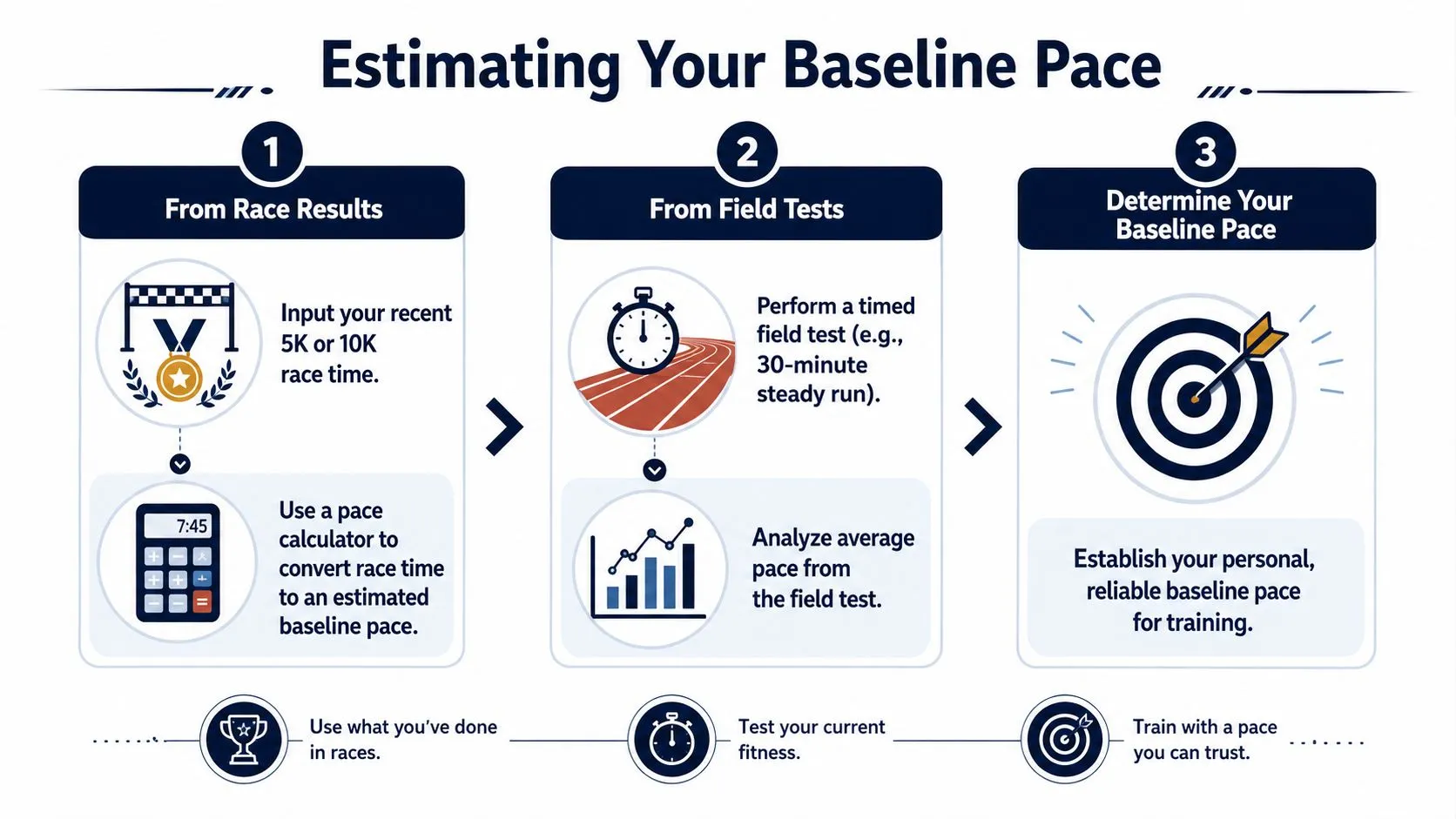
A recent race result gives the cleanest starting point. A well-run 5K or 10K shows what you can hold under pressure, which is more useful than guessing from a workout that felt smooth on a fresh day. If the course was flat and conditions were fair, that result is usually a better anchor than a generic chart.
Field tests fill the gap when race data is old or missing. A steady, controlled effort on a measured track or a reliable route shows what your current fitness supports right now. The measurement has to be clean. If the GPS drifts or the route is not measured well, the baseline will be off too.
A practical way to set the number
Start with the race result if you have one, then confirm it with a field effort. A race predictor tool like this race predictor helps translate a recent performance into a pace you can build from, especially when you need a quick sanity check before setting workouts. Coaches also recommend verifying pace with a GPS watch or a measured track, estimating threshold pace from a recent race or field test, and assigning zones from that threshold before deciding whether the plan is working.
Keep the process simple.
- Pull a recent race result. Use the distance you raced, not the distance you wish you had raced.
- Check the split quality. A flat course, controlled effort, and no obvious pacing blow-up make the result more trustworthy.
- Cross-check with a field run. If the workout pace and race pace are far apart, trust the better-measured effort.
- Hold the baseline steady. Coaches recommend keeping the range consistent for at least three months before deciding whether it is working.
A cautious starting point is usually the right call. Baselines are supposed to be usable, not flattering. If you set the number a little conservatively, you have a better chance of completing workouts cleanly, matching the sessions to your current fitness, and building forward without forcing the first few weeks.
Assigning Personalized Pace Zones
Once you have a baseline, turn it into zones you can use on a watch screen. Coaches and platforms may label them differently, but the structure is familiar. Easy and endurance work belong on the low end, threshold sits in the middle, and interval work sits at the sharp end where the pace has to be handled with more care.
A zone system you’ll follow on tired days
Set zones by purpose, not pride. Easy and endurance runs should feel controlled enough that you could do the same kind of session again the next day. Threshold should feel steady and honest, with enough pressure to matter but not so much that every rep turns frantic. Interval work should feel fast, yet still leave room for the workout to do its job instead of becoming a race.
Here’s a simple reference table built around the baseline pace you already established.
| Zone | Target Pace (% of Threshold) | Typical Workout |
|---|---|---|
| Easy | Slower than threshold, often much slower | Recovery runs, warm-ups, cool-downs |
| Endurance | Slightly quicker than easy, still conversational | Longer aerobic runs |
| Tempo | Near sustained comfortably-hard effort | Steady runs, cruise work |
| Threshold | Close to controlled hard effort | Continuous tempo runs, longer reps |
| Interval | Faster than threshold, short and focused | Repeats with full or partial recovery |
Expert guidance also places easy runs at 2 to 4 RPE, marathon pace at 4 to 5, threshold at 7 to 8, and interval pace at 8 to 9, with pace progressions only after 4 to 8 weeks of consistent training. That matters because fitness changes gradually, so pace zones should change at the same pace, not whenever a single workout feels smooth.
What to do with the numbers
The best zone system is the one you will follow on tired days. If your easy zone is too aggressive, recovery gets compromised. If your threshold zone is too cautious, the workout stops short of the intended stimulus. The middle ground usually gives the best accuracy, especially for runners who like to chase the watch and need guardrails more than inspiration.
Use ranges, not single-number targets, whenever possible. Narrower work and harder efforts need tighter control. Broader sessions can absorb more adjustment for hills, fatigue, wind, or heat without changing the intent of the run.
Crafting Structured Interval Workouts from Pace Zones
A good workout description reads like something you could text to a coach. It should say what happens first, what repeats, what pace zone to use, and what recovery looks like. That format is far easier to convert into a device-ready session than a vague note like “do some tempo.”
Take a workout such as 5 x 1 mile at threshold with 2-minute jog recoveries. That sentence already contains the important pieces. You know the warm-up is implied, the target is clear, the repetition count is clear, and the recovery is clear. The only thing left is making sure the watch builder or app turns that note into actual steps without changing the meaning.
Write workouts in segments, not fragments
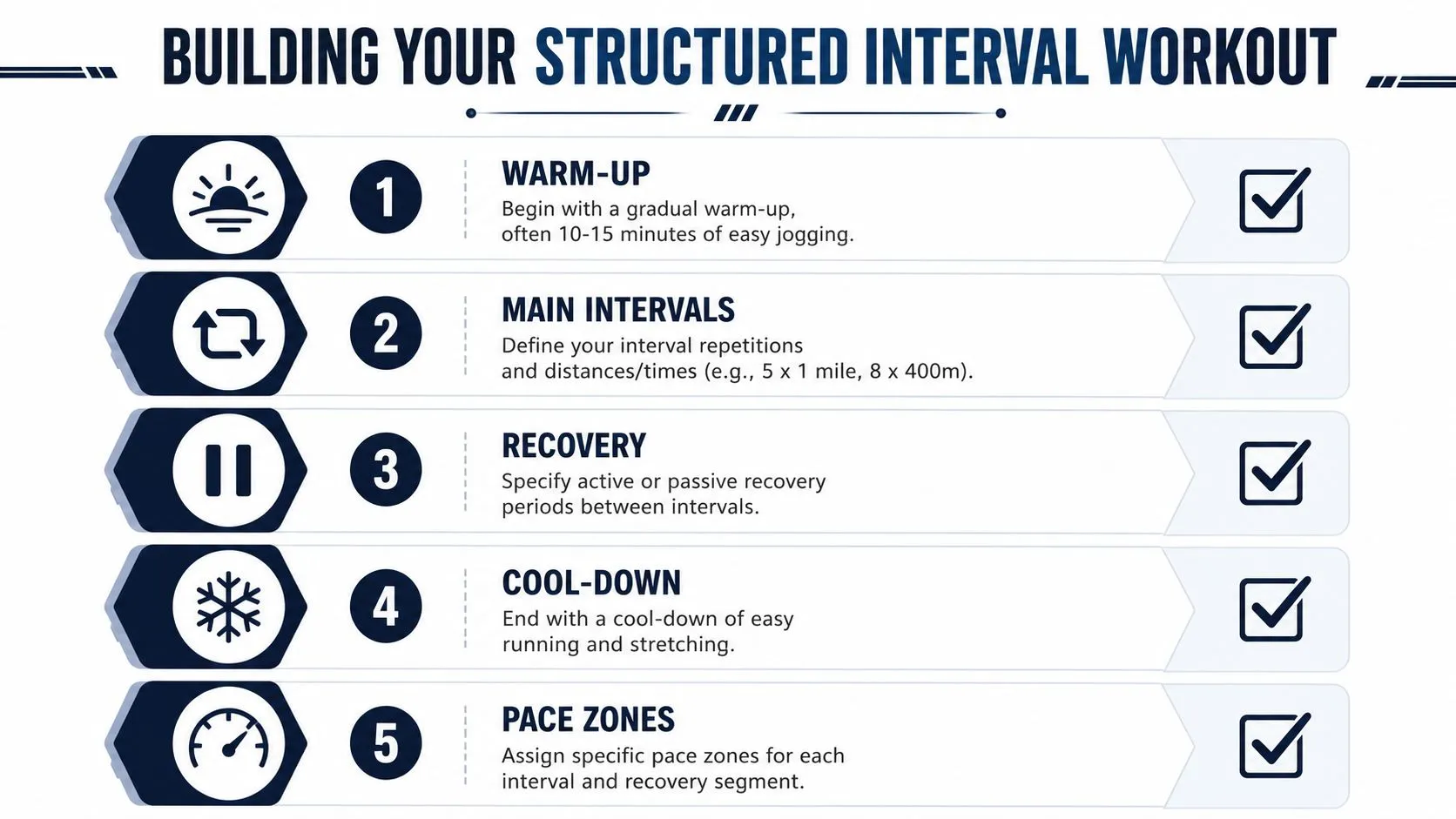
A clean session usually has four parts:
- Warm-up. Easy running plus a few relaxed strides if the day calls for it.
- Main set. The reps, distance, and target zone.
- Recovery. Jog, walk, or stand, depending on the purpose of the session.
- Cool-down. Easy running long enough to bring the effort back down.
Runner’s World notes that high-intensity intervals benefit from only 5 to 10 seconds per mile precision, while easy runs can vary by 90 seconds to 4 minutes without breaking the intended stimulus (Runner’s World). That difference tells you how to write the workout. Keep easy work flexible, keep hard reps tighter, and don’t obsess over a single perfect split where the session doesn’t need one.
The shorter and faster the rep, the more the workout should be defined by structure and split time, not by a rigid mile pace.
A practical example is to write the session in a way that leaves no ambiguity for you or the device. “10 to 15 minutes easy, then 5 x 1 mile at threshold with 2-minute jog recoveries, then 10 minutes easy” is much better than “tempo run.” That kind of clarity is what turns pace zones into repeatable training.
Sending Workouts to GPS Watches and Adapting Them
Once the workout is written cleanly, the best next move is to send it to the watch before you head out. The benefit is obvious on workout day, because you don’t have to remember the details after a warm-up or try to do math in your head mid-rep. A text-first workflow is faster because the session starts as language, not as a drag-and-drop puzzle.
The process is straightforward. Enter the workout in plain language, review the parsed steps, make light edits if a rep count or recovery needs trimming, then sync it to the device profile you use. That last part matters. A workout built for one watch or head unit won’t help if it never gets into the right ecosystem.
The part most runners skip
The biggest mistake is treating the upload as final before checking the steps on the device. A long warm-up can be shortened if the weather is hot. A missed rep can be skipped without ruining the session. If the workout builder lets you preview the structure, use that preview every time.
For runners using Apple Watch workflows, a device-specific example is useful, especially when interval sessions need to stay neat on the wrist. The Apple Watch running intervals guide shows the same principle in a device-specific context: the plan has to be legible before the session starts.
If the workout is hard to read in preview, it’ll be harder to execute under fatigue.
The goal is not syncing for its own sake. It’s reducing friction. When the session is already structured before you leave the house, the watch becomes a cueing tool instead of a puzzle. That keeps attention on running, not on button presses.
Tips and Troubleshooting for Pace Accuracy
Pace gets messy fast when the environment changes. Tree cover can distort GPS, wind can make a steady run feel uneven, and steep hills can make a target pace meaningless. On those days, exact splits can distract you from the actual training goal.
The best fix is to anchor the session to effort or heart rate when the route is unreliable. On hilly terrain, experts even recommend walking when needed so you stay in the correct zone instead of forcing pace to keep a number on screen (Runner’s World).
Quick corrections when pace stops making sense
- Use effort first. If breathing says the session is right, don’t chase a perfect split on a bad route.
- Trust better surfaces. Measured tracks and open roads are safer baselines than twisty, tree-lined paths.
- Trim the workout if conditions worsen. A useful session completed cleanly is better than a heroic mess.
- Let recovery stay easy. Don’t turn the recovery jog into another workout by accident.
A final practical note. If the numbers keep fighting the session, the session probably needs a different cue. For many runners, that means switching from exact pace to range-based pacing or effort-based pacing on the day.
Conclusion and Next Steps
A clean version of running training pace starts with one real baseline, not a generic chart. From there, you assign zones, write sessions that fit the purpose of each workout, and load them onto your watch before you head out. That order cuts guesswork and keeps hard days hard for the right reasons, especially when you want the split on the screen to match the work in the plan.
The payoff shows up in consistency. Hold the same pace ranges long enough to see whether they fit your training, because frequent changes make it hard to tell whether the issue is the plan or the execution. Keep the setup stable, review how the workouts feel in real conditions, and adjust only when the current zones stop matching your fitness or your race goals.
If you want a faster way to turn that baseline into a watch-ready session, open TextFit and type the workout the way you’d text it, in any language: “15 min easy, 5 x 1 mile at threshold with 2 min jog, 10 min easy.” AI builds the structured session, you check the paces, and it syncs to Garmin or Wahoo through intervals.icu, or schedules straight onto Apple Watch. Free to start, no sign-up needed.